
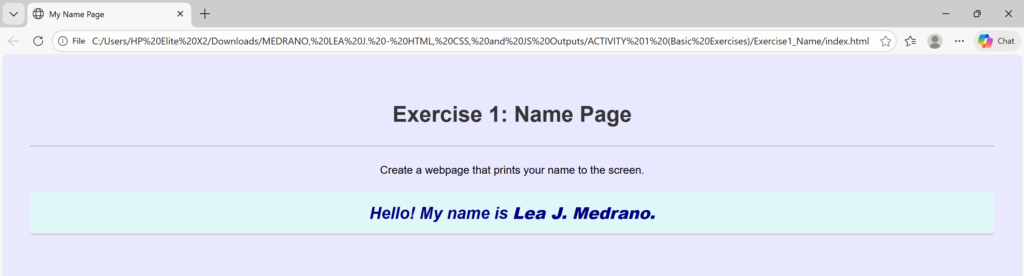
<!DOCTYPE html> <!-- declaration that defines this document to be an HTML5 document -->
<html> <!-- root element of an HTML page, all other elements live inside it -->
<head> <!-- contains metadata about the HTML document, such as its title, character set, and links to stylesheets/scripts -->
    <meta charset="UTF-8"> <!-- empty element that provides machine-readable information (metadata) about the document, like the character set (`charset="UTF-8"`)-->
    <title>My Name Page</title> <!-- sets the title that appears in the browser's title bar or tab-->
    <link rel="stylesheet" href="style.css"> <!-- this attribute specifies the location (URL or path) of the external stylesheet file. In this case, the file named style.css is expected to be in the same folder as the HTML file. -->
</head>
<body> <!-- contains all the visible content of the page, such as text, images, links, and headings-->
    <div style="text-align: center;"> <!-- to horizontally center content, such as text, images, or other block elements, within its parent container -->
    <h1>Exercise 1: Name Page </h1> <!-- defines the most important heading on the page (Heading Level 1)-->
        <p> Create a webpage that prints your name to the screen. </p> <!-- defines a paragraph of text -->
        <h2 class="styled-text">Hello! My name is <strong>Lea J. Medrano.</strong> <!-- tag to make text bold --> </h2>
    </div>
</body>
</html>
/*
 * style.css
 * Styles for the basic HTML exercises.
 */

body {
    font-family: Arial, sans-serif;
    line-height: 1.6;
    margin: 20px;
    padding: 20px;
    background-color: #e8e8ff;
}

h1, h2 {
    color: #333;
    border-bottom: 2px solid #ccc;
    padding-bottom: 20px;
}

/* Specific styling show the stylesheet is working */
.styled-text {
    color: navy;
    font-style: italic;
    background-color: #e0f7fa; /* Light cyan background */
    padding: 10px;
    border-radius: 5px;
}
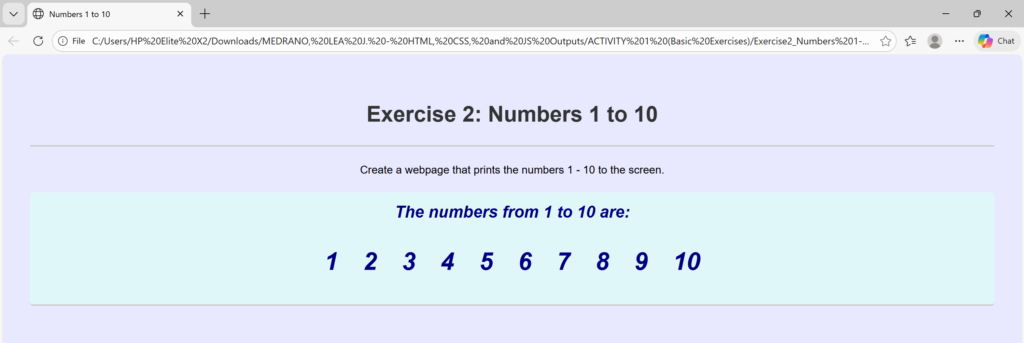
<!DOCTYPE html> <!-- declaration that defines this document to be an HTML5 document -->
<html> <!-- root element of an HTML page, all other elements live inside it -->
<head> <!-- contains metadata about the HTML document, such as its title, character set, and links to stylesheets/scripts -->
    <meta charset="UTF-8"> <!-- empty element that provides machine-readable information (metadata) about the document, like the character set (`charset="UTF-8"`)-->
    <title>Numbers 1 to 10</title> <!-- sets the title that appears in the browser's title bar or tab-->
    <link rel="stylesheet" href="style.css"> <!-- this attribute specifies the location (URL or path) of the external stylesheet file. In this case, the file named style.css is expected to be in the same folder as the HTML file. -->
</head>
<body> <!-- contains all the visible content of the page, such as text, images, links, and headings-->
    <div style="text-align: center;"> <!-- to horizontally center content, such as text, images, or other block elements, within its parent container -->
    <h1>Exercise 2: Numbers 1 to 10</h1> <!-- defines the most important heading on the page (Heading Level 1)-->
        <p> Create a webpage that prints the numbers 1 - 10 to the screen. </p> <!-- defines a paragraph of text -->
    <h2 class="styled-text">The numbers from 1 to 10 are: <!-- defines a Level 2 Section Heading -->
    <ul> <!-- defines an Unordered List -->
        <li>1</li> <!-- defines a List Item -->
        <li>2</li>
        <li>3</li>
        <li>4</li>
        <li>5</li>
        <li>6</li>
        <li>7</li>
        <li>8</li>
        <li>9</li>
        <li>10</li>
    </ul>
    </h2>
    </div>
</body>
</html>
/*
 * style.css
 * Styles for the basic HTML exercises.
 */

body {
    font-family: Arial, sans-serif;
    line-height: 1.6;
    margin: 20px;
    padding: 20px;
    background-color: #e8e8ff;
}

h1, h2 {
    color: #333;
    border-bottom: 2px solid #ccc;
    padding-bottom: 20px;
}

/* Specific styling show the stylesheet is working */
.styled-text {
    color: navy;
    font-style: italic;
    background-color: #e0f7fa; /* Light cyan background */
    padding: 10px;
    border-radius: 5px;
}

/* --- ADDITIONS FOR THE NUMBER LIST --- */

/* Style the Unordered List container */
ul {
    /* Remove default list bullets, as the numbers themselves are the focus */
    list-style-type: none;
    /* Remove the default left padding so the list aligns nicely */
    padding-left: 0;
    /* Center the list items if they are displayed as inline blocks */
    text-align: center;
}

/* Style each individual List Item */
li {
    /* Display list items side-by-side */
    display: inline-block;
    /* Add spacing between each number */
    margin: 0 15px;
    /* Make the numbers larger and bolder */
    font-size: 1.5em;
    font-weight: bold;
    /* The text color is controlled by inline CSS in the HTML (e.g., style="color: red;") */
}
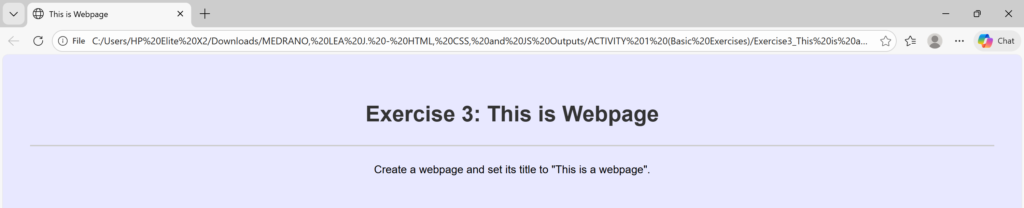
<!DOCTYPE html> <!-- declaration that defines this document to be an HTML5 document -->
<html> <!-- root element of an HTML page, all other elements live inside it -->
<head> <!-- contains metadata about the HTML document, such as its title, character set, and links to stylesheets/scripts -->
    <meta charset="UTF-8"> <!-- empty element that provides machine-readable information (metadata) about the document, like the character set (`charset="UTF-8"`)-->
    <title>This is Webpage</title> <!-- sets the title that appears in the browser's title bar or tab-->
    <link rel="stylesheet" href="style.css"> <!-- this attribute specifies the location (URL or path) of the external stylesheet file. In this case, the file named style.css is expected to be in the same folder as the HTML file. -->
</head>
<body> <!-- contains all the visible content of the page, such as text, images, links, and headings-->
    <div style="text-align: center;"> <!-- to horizontally center content, such as text, images, or other block elements, within its parent container -->
    <h1>Exercise 3: This is Webpage</h1> <!-- defines the most important heading on the page (Heading Level 1)-->
    <p>Create a webpage and set its title to "This is a webpage".</p> <!-- defines a paragraph of text -->
</body>
</html>
/*
 * style.css
 * Styles for the basic HTML exercises.
 */

body {
    font-family: Arial, sans-serif;
    line-height: 1.6;
    margin: 20px;
    padding: 20px;
    background-color: #e8e8ff;
}

h1, h2 {
    color: #333;
    border-bottom: 2px solid #ccc;
    padding-bottom: 20px;
}

/* Specific styling show the stylesheet is working */
.styled-text {
    color: navy;
    font-style: italic;
    background-color: #e0f7fa; /* Light cyan background */
    padding: 10px;
    border-radius: 5px;
}
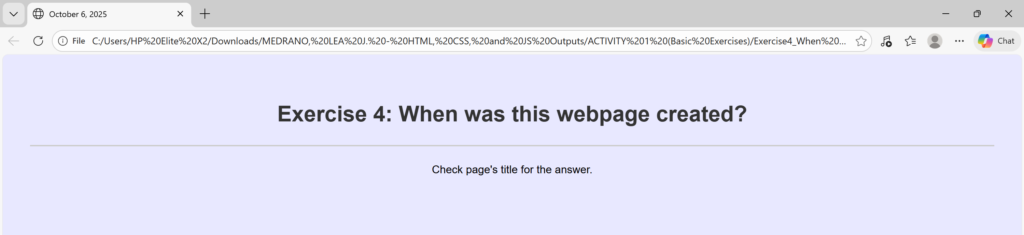
<!DOCTYPE html> <!-- declaration that defines this document to be an HTML5 document -->
<html> <!-- root element of an HTML page, all other elements live inside it -->
<head> <!-- contains metadata about the HTML document, such as its title, character set, and links to stylesheets/scripts -->
    <meta charset="UTF-8"> <!-- empty element that provides machine-readable information (metadata) about the document, like the character set (`charset="UTF-8"`)-->
    <title>October 6, 2025</title> <!-- sets the title that appears in the browser's title bar or tab-->
    <link rel="stylesheet" href="style.css"> <!-- this attribute specifies the location (URL or path) of the external stylesheet file. In this case, the file named style.css is expected to be in the same folder as the HTML file. -->
</head>
<body> <!-- contains all the visible content of the page, such as text, images, links, and headings-->
    <div style="text-align: center;"> <!-- to horizontally center content, such as text, images, or other block elements, within its parent container -->
    <h1>Exercise 4: When was this webpage created? </h1> <!-- defines the most important heading on the page (Heading Level 1)-->
    <p>Check page's title for the answer.</p> <!-- defines a paragraph of text -->
    </div>
</body>
</html>
/*
 * style.css
 * Styles for the basic HTML exercises.
 */

body {
    font-family: Arial, sans-serif;
    line-height: 1.6;
    margin: 20px;
    padding: 20px;
    background-color: #e8e8ff;
}

h1, h2 {
    color: #333;
    border-bottom: 2px solid #ccc;
    padding-bottom: 20px;
}

/* Specific styling show the stylesheet is working */
.styled-text {
    color: navy;
    font-style: italic;
    background-color: #e0f7fa; /* Light cyan background */
    padding: 10px;
    border-radius: 5px;
}
<!DOCTYPE html> <!-- declaration that defines this document to be an HTML5 document -->
<html> <!-- root element of an HTML page, all other elements live inside it -->
<body> <!-- contains all the visible content of the page, such as text, images, links, and headings-->
<div style="text-align: center;"> <!-- to horizontally center content, such as text, images, or other block elements, within its parent container -->
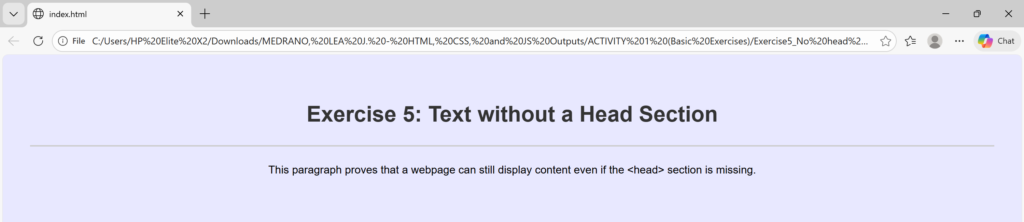
<h1>Exercise 5: Text without a Head Section</h1> <!-- defines the most important heading on the page (Heading Level 1)-->
<p>This paragraph proves that a webpage can still display content even if the <<!--less-than sign -->head><!--greater-than sign --> section is missing.</p> <!-- defines a paragraph of text -->
</div>
<link rel="stylesheet" href="style.css"> <!-- this attribute specifies the location (URL or path) of the external stylesheet file. In this case, the file named style.css is expected to be in the same folder as the HTML file. -->
</body>
</html>
/*
 * style.css
 * Styles for the basic HTML exercises.
 */

body {
    font-family: Arial, sans-serif;
    line-height: 1.6;
    margin: 20px;
    padding: 20px;
    background-color: #e8e8ff;
}

h1, h2 {
    color: #333;
    border-bottom: 2px solid #ccc;
    padding-bottom: 20px;
}

/* Specific styling show the stylesheet is working */
.styled-text {
    color: navy;
    font-style: italic;
    background-color: #e0f7fa; /* Light cyan background */
    padding: 10px;
    border-radius: 5px;
}
<!DOCTYPE html> <!-- declaration that defines this document to be an HTML5 document -->
<html> <!-- root element of an HTML page, all other elements live inside it -->
<head> <!-- contains metadata about the HTML document, such as its title, character set, and links to stylesheets/scripts -->
    <meta charset="UTF-8"> <!-- empty element that provides machine-readable information (metadata) about the document, like the character set (`charset="UTF-8"`)-->
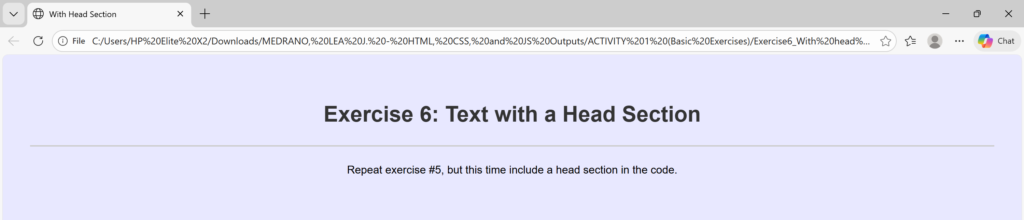
    <title>With Head Section</title> <!-- sets the title that appears in the browser's title bar or tab-->
    <link rel="stylesheet" href="style.css"> <!-- this attribute specifies the location (URL or path) of the external stylesheet file. In this case, the file named style.css is expected to be in the same folder as the HTML file. -->
</head>
    <body> <!-- contains all the visible content of the page, such as text, images, links, and headings-->
    <div style="text-align: center;"> <!-- to horizontally center content, such as text, images, or other block elements, within its parent container -->
    <h1>Exercise 6: Text with a Head Section</h1> <!-- defines the most important heading on the page (Heading Level 1)-->
    <p>Repeat exercise #5, but this time include a head section in the code.</p> <!-- defines a paragraph of text -->
    </div>
</body>
</html>
/*
 * style.css
 * Styles for the basic HTML exercises.
 */

body {
    font-family: Arial, sans-serif;
    line-height: 1.6;
    margin: 20px;
    padding: 20px;
    background-color: #e8e8ff;
}

h1, h2 {
    color: #333;
    border-bottom: 2px solid #ccc;
    padding-bottom: 20px;
}

/* Specific styling show the stylesheet is working */
.styled-text {
    color: navy;
    font-style: italic;
    background-color: #e0f7fa; /* Light cyan background */
    padding: 10px;
    border-radius: 5px;
}