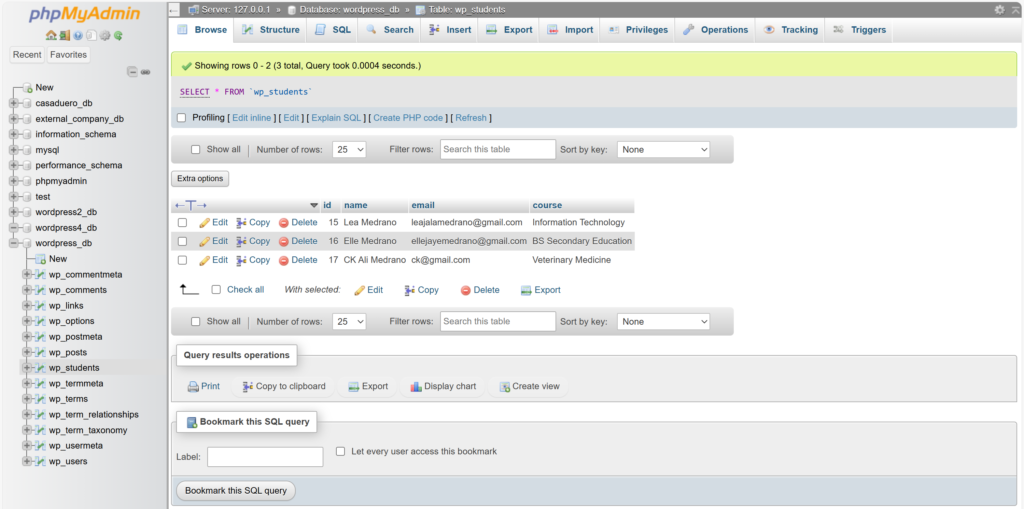
<?php
/**
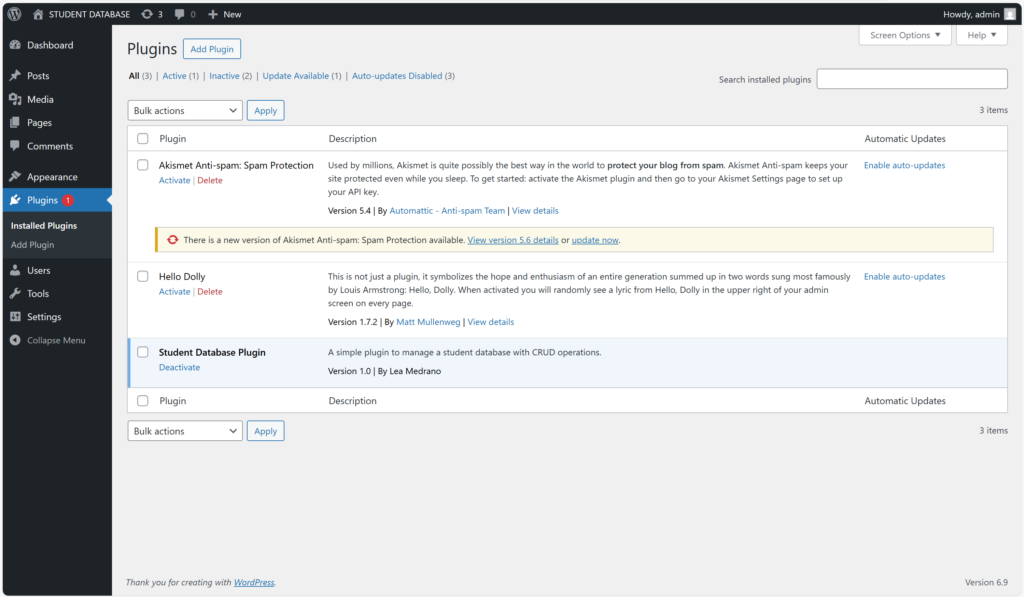
 * Plugin Name: Student Database Plugin
 * Description: A simple plugin to manage a student database with CRUD operations.
 * Version: 1.0
 * Author: Lea Medrano
 */

// Prevent direct access to the file
if (!defined('ABSPATH')) {
    exit;
}

// Function to create the database table on plugin activation
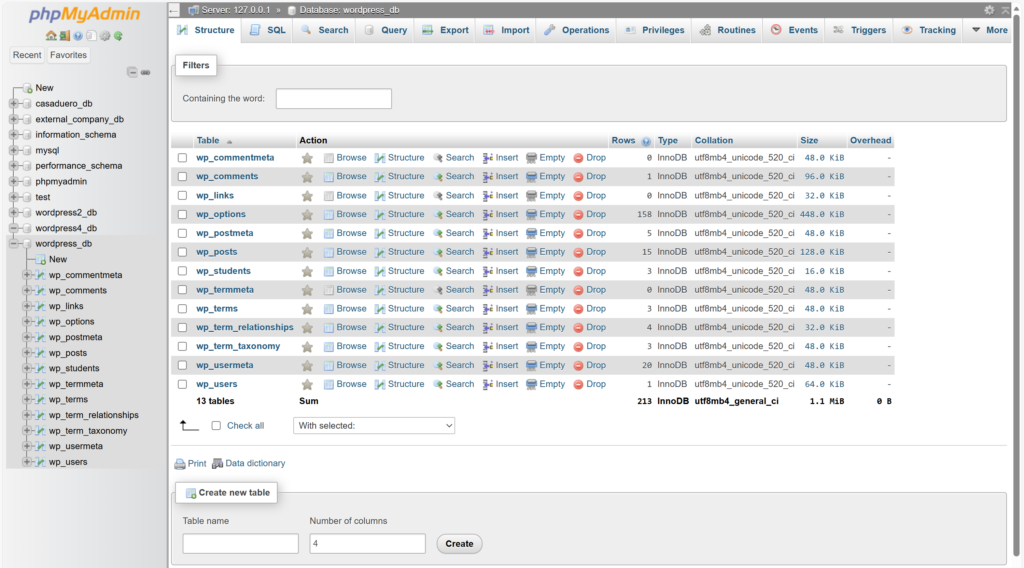
function sdp_create_table() {
    global $wpdb;
    // The name of our new table, with the WordPress prefix
    $table_name = $wpdb->prefix . 'students';
    $charset_collate = $wpdb->get_charset_collate();

    // SQL statement to create the table
    $sql = "CREATE TABLE $table_name (
        id mediumint(9) NOT NULL AUTO_INCREMENT,
        name tinytext NOT NULL,
        email varchar(100) NOT NULL,
        course varchar(100) NOT NULL,
        PRIMARY KEY  (id)
    ) $charset_collate;";

    // We need to include this file to use dbDelta()
    require_once(ABSPATH . 'wp-admin/includes/upgrade.php');
    dbDelta($sql); // Execute the SQL
}

// Function to enqueue plugin scripts
function sdp_enqueue_scripts() {
    wp_enqueue_script(
        'sdp-script',
        plugin_dir_url(__FILE__) . 'js/script.js',
        array(),
        '1.0',
        true // Load in the footer
    );
}
add_action('wp_enqueue_scripts', 'sdp_enqueue_scripts');

// Register the activation hook
register_activation_hook(__FILE__, 'sdp_create_table');


// The main function to handle the shortcode logic
function sdp_crud_shortcode() {
    global $wpdb;
    $table_name = $wpdb->prefix . 'students';
    $page_url = get_permalink();
    $message = '';


// The final sdp_crud_shortcode() function will have logic at the top
// to check if it's an edit action, fetch the student data, and then
// conditionally render the form for either adding or updating.

// --- Example logic for update handler (at top of function) ---
if (isset($_POST['update_student'])) {
    $id = intval($_POST['student_id']);
    $name = sanitize_text_field($_POST['student_name']);
    $email = sanitize_email($_POST['student_email']);
    $course = sanitize_text_field($_POST['student_course']);

    $wpdb->update(
        $table_name,
        ['name' => $name, 'email' => $email, 'course' => $course], // Data
        ['id' => $id] // WHERE clause
    );
        $message = "<div class='notice notice-success is-dismissible'><center><p>Student updated successfully!</p></center></div>";
    }


    // --- Place this inside sdp_crud_shortcode(), at the top ---
// HANDLE DELETE OPERATION
    if (isset($_GET['action']) && $_GET['action'] == 'delete' && isset($_GET['id'])) {
        if (isset($_GET['_wpnonce']) && wp_verify_nonce($_GET['_wpnonce'], 'sdp_delete_student_' . $_GET['id'])) {
            $id_to_delete = intval($_GET['id']);
            $wpdb->delete($table_name, array('id' => $id_to_delete));
            $message = "<div class='notice notice-success is-dismissible'><center><p>Student deleted successfully!</p></center></div>";
        } else {
             $message = "<div class='notice notice-error is-dismissible'><center><p>Security check failed.</p></center></div>";
        }
    }


// --- Place this inside sdp_crud_shortcode() function, at the top ---
// HANDLE FORM SUBMISSION (CREATE)
if (isset($_POST['submit_student'])) {
    // Sanitize and validate input
    $name = sanitize_text_field($_POST['student_name']);
    $email = sanitize_email($_POST['student_email']);
    $course = sanitize_text_field($_POST['student_course']);

    // Use $wpdb->insert() to add a new row
    $wpdb->insert(
        $table_name,
            ['name' => $name, 'email' => $email, 'course' => $course]
        );
        $message = "<div class='notice notice-success is-dismissible'><center><p>Student added successfully!</p></center></div>";
    }

// --- Example logic for showing the edit form ---
    $student_to_edit = null;
    if (isset($_GET['action']) && $_GET['action'] == 'edit' && isset($_GET['id'])) {
        $id_to_edit = intval($_GET['id']);
        $student_to_edit = $wpdb->get_row($wpdb->prepare("SELECT * FROM $table_name WHERE id = %d", $id_to_edit));
    }

    // This buffer will store the HTML output
    ob_start();


    ?>
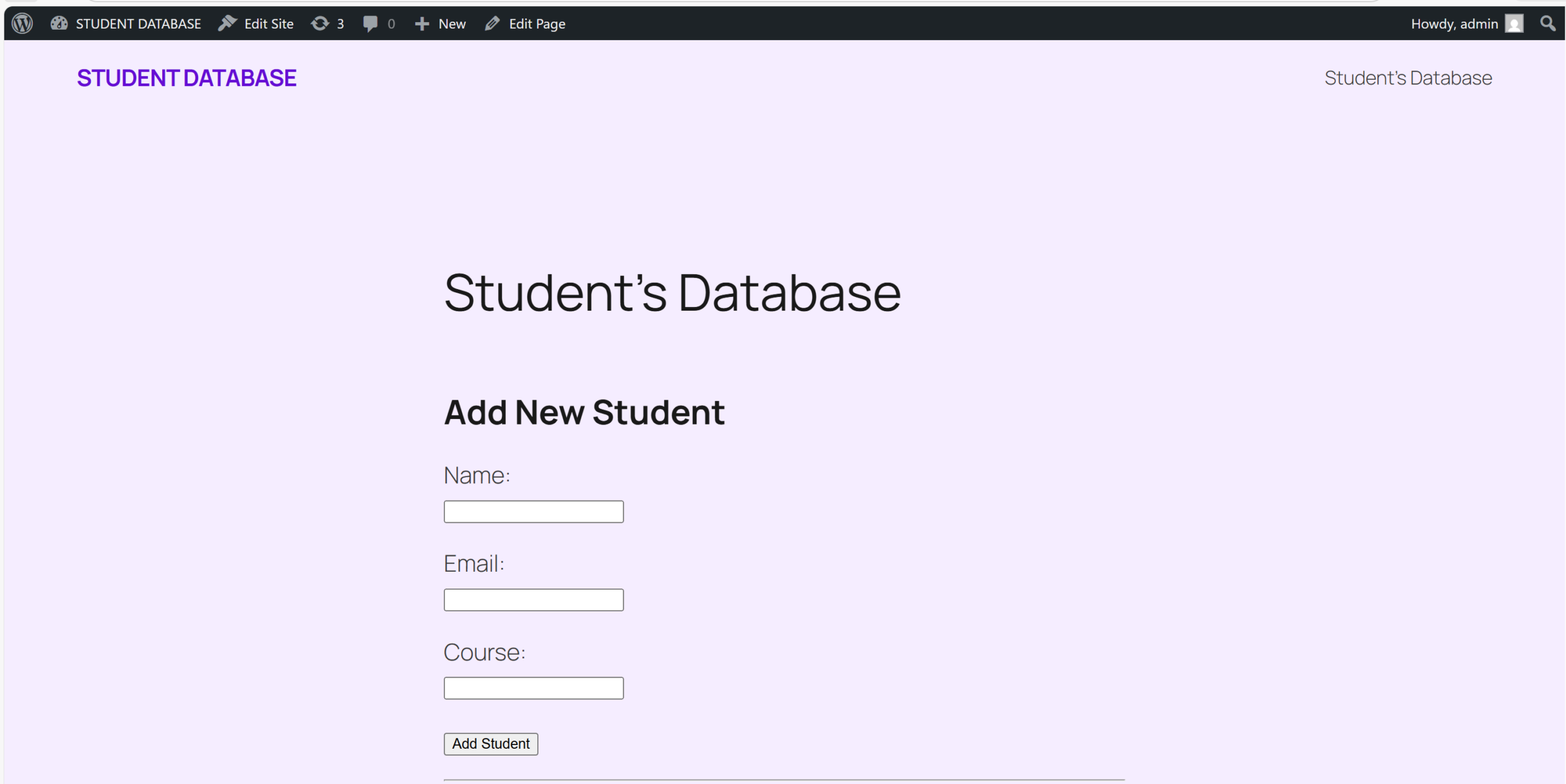
    <div class="wrap">
    <?php echo $message; ?>

    <h2><b><?php echo $student_to_edit ? 'Edit Student' : 'Add New Student'; ?></b></h2>
    <form method="post" action="<?php echo esc_url(get_permalink()); ?>">

    <?php if ($student_to_edit) : ?>
        <input type="hidden" name="student_id" value="<?php echo esc_attr($student_to_edit->id); ?>">
    <?php endif; ?>

            <p>
                <label for="student_name">Name:</label><br>
                <input type="text" id="student_name" name="student_name" value="<?php echo $student_to_edit ? esc_attr($student_to_edit->name) : ''; ?>" required>
            </p>
            <p>
                <label for="student_email">Email:</label><br>
                <input type="email" id="student_email" name="student_email" value="<?php echo $student_to_edit ? esc_attr($student_to_edit->email) : ''; ?>" required>
            </p>
            <p>
                <label for="student_course">Course:</label><br>
                <input type="text" id="student_course" name="student_course" value="<?php echo $student_to_edit ? esc_attr($student_to_edit->course) : ''; ?>" required>
            </p>
            <p>
                <?php if ($student_to_edit) : ?>
                    <input type="submit" name="update_student" class="button button-primary" value="Update Student">
                <?php else : ?>
                    <input type="submit" name="submit_student" class="button button-primary" value="Add Student">
                <?php endif; ?>
            </p>
        </form>

        <hr>
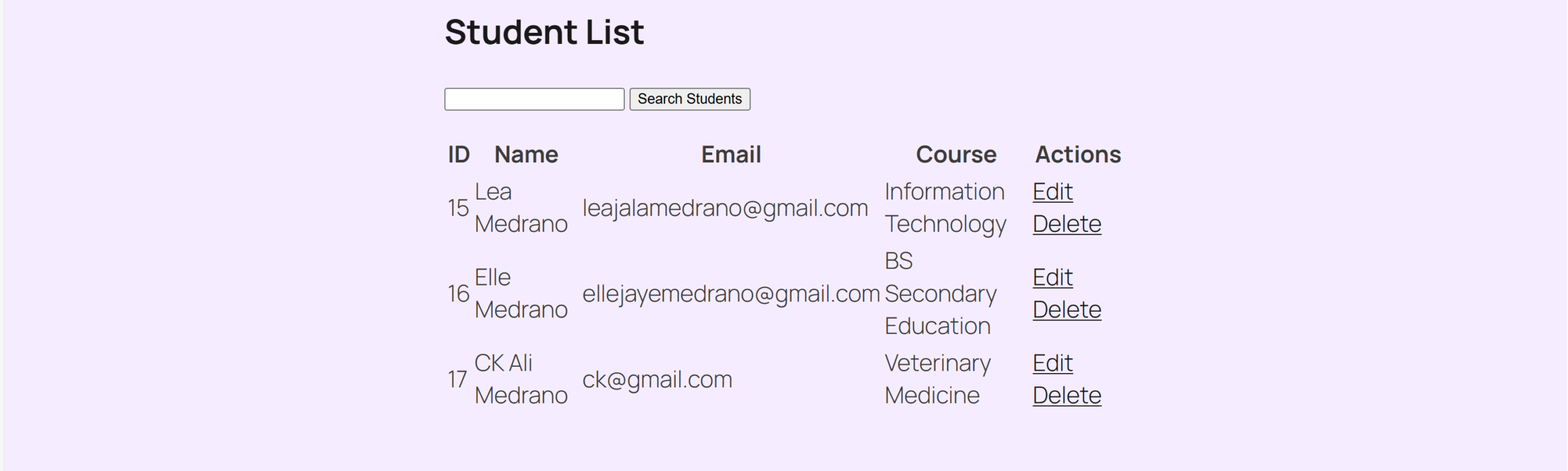
        <h2><b>Student List</b></h2>
        <form method="get" action="<?php echo esc_url($page_url); ?>">
            <p class="search-box">
                <label class="screen-reader-text" for="student-search-input">Search Students:</label>
                <input type="search" id="student-search-input" name="student_search" value="<?php echo isset($_GET['student_search']) ? esc_attr(sanitize_text_field($_GET['student_search'])) : ''; ?>">
                <input type="submit" id="search-submit" class="button" value="Search Students">
            </p>
        </form>
        <table class="wp-list-table widefat fixed striped">
            <thead>
                <tr>
                    <th>ID</th>
                    <th>Name</th>
                    <th>Email</th>
                    <th>Course</th>
                    <th>Actions</th>
                </tr>
            </thead>
            <tbody>
                <?php
                // Build the SQL query with a search filter if a search term exists
                $sql = "SELECT * FROM $table_name";
                $where_clause = '';
                $search_query = isset($_GET['student_search']) ? sanitize_text_field($_GET['student_search']) : '';

                if (!empty($search_query)) {
                    $where_clause = $wpdb->prepare(" WHERE name LIKE %s", '%' . $wpdb->esc_like($search_query) . '%');
                    $sql .= $where_clause;
                }
                $students = $wpdb->get_results($sql);


                if (empty($students)) {
                    echo '<tr><td colspan="5"><center>No students found.</center></td></tr>';
                } else {
// --- Replace the table row generation (foreach loop) with this ---
foreach ($students as $student) {
    // Create a security nonce for the delete link
    $edit_url = add_query_arg(['action' => 'edit', 'id' => $student->id], $page_url);
    $delete_nonce = wp_create_nonce('sdp_delete_student_' . $student->id);

    // Construct the delete URL
    $delete_url = add_query_arg([
        'action' => 'delete',
        'id' => $student->id,
        '_wpnonce' => $delete_nonce
    ], $page_url);

    echo "<tr>";
    echo "<td>" . esc_html($student->id) . "</td>";
    echo "<td>" . esc_html($student->name) . "</td>";
    echo "<td>" . esc_html($student->email) . "</td>";
    echo "<td>" . esc_html($student->course) . "</td>";
    echo '<td><a href="' . esc_url($edit_url) . '" class="button">Edit</a> <a href="' . esc_url($delete_url) . '" class="button sdp-delete-link">Delete</a></td>';
    echo "</tr>";
}

                }
                ?>
            </tbody>
        </table>
    </div>
    <?php

    return ob_get_clean(); // Return the buffered content
}

// Register the shortcode
add_shortcode('student_database', 'sdp_crud_shortcode');