
<!DOCTYPE html> <!-- declaration that defines this document to be an HTML5 document -->
<html> <!-- root element of an HTML page, all other elements live inside it -->
<head> <!-- contains metadata about the HTML document, such as its title, character set, and links to stylesheets/scripts -->
    <meta charset="UTF-8"> <!-- empty element that provides machine-readable information (metadata) about the document, like the character set (`charset="UTF-8"`)-->
    <title>Search Engines</title> <!-- sets the title that appears in the browser's title bar or tab-->
    <link rel="stylesheet" href="style.css"> <!-- this attribute specifies the location (URL or path) of the external stylesheet file. In this case, the file named style.css is expected to be in the same folder as the HTML file. -->
</head>
<body> <!-- contains all the visible content of the page, such as text, images, links, and headings-->
    <div style="text-align: center;"> <!-- to horizontally center content, such as text, images, or other block elements, within its parent container -->
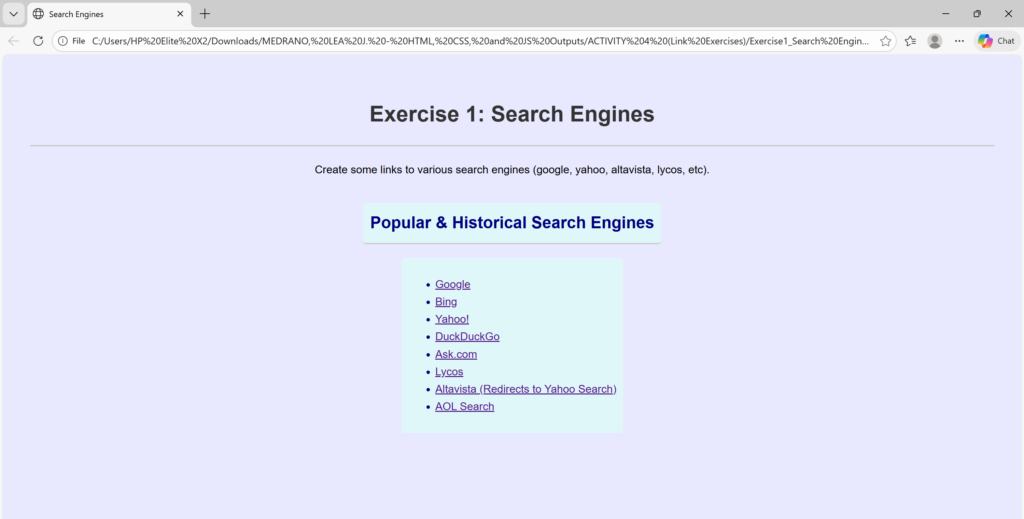
    <h1>Exercise 1: Search Engines</h1> <!-- defines the most important heading on the page (Heading Level 1)-->
        <p> Create some links to various search engines (google, yahoo, altavista, lycos, etc). </p> <!-- defines a paragraph of text -->
<h2 class="styled-text">Popular & Historical Search Engines </h2> <br>
<div class="styled-text">
<ul>
        <li>
            <a href="https://www.google.com/">Google</a>
        </li>

        <li>
            <a href="https://www.bing.com/">Bing</a>
        </li>

        <li>
            <a href="https://www.yahoo.com/">Yahoo!</a>
        </li>

        <li>
            <a href="https://duckduckgo.com/">DuckDuckGo</a>
        </li>

        <li>
            <a href="https://www.ask.com/">Ask.com</a>
        </li>

        <li>
            <a href="https://www.lycos.com/">Lycos</a>
        </li>

        <li>
            <a href="https://www.yahoo.com/search">Altavista (Redirects to Yahoo Search)</a>
        </li>

        <li>
            <a href="https://search.aol.com/">AOL Search</a>
        </li>

    </ul></div>

    <script src="script.js"></script>
    </div>
</body>
</html>
/*
 * style.css
 * Styles for the basic HTML exercises.
 */

body {
    font-family: Arial, sans-serif;
    line-height: 1.6;
    margin: 20px;
    padding: 20px;
    background-color: #e8e8ff;
}

h1, h2 {
    color: #333;
    border-bottom: 2px solid #ccc;
    padding-bottom: 20px;
    text-align: center;
}

/* Specific styling show the stylesheet is working */
.styled-text {
    color: navy;
    text-align: justify;
    background-color: #e0f7fa; /* Light cyan background */
    padding: 10px;
    border-radius: 5px;
    display: inline-block;
}
/**
 * script.js
 * Adds event listeners to the search engine links to demonstrate basic JavaScript functionality.
 */

// Function that runs once the entire HTML document is fully loaded
document.addEventListener('DOMContentLoaded', function() {
    // 1. Get all the anchor (<a>) elements within the unordered list (<ul>)
    const searchLinks = document.querySelectorAll('ul li a');

    // 2. Loop through each link found
    searchLinks.forEach(link => {
        // 3. Attach a 'click' event listener to each link
        link.addEventListener('click', function(event) {

            // Log a message to the browser's console to confirm the click was registered
            console.log(`Navigating to: ${this.textContent} at ${this.href}`);

            // Optional: Visually indicate the link has been clicked
            // Use a slight delay to allow the color change to be seen before navigation
            // Note: Browsers will still navigate away quickly unless event.preventDefault() is used.
            this.style.backgroundColor = '#ffffaa'; // Light yellow background
            this.style.color = '#000000'; // Black text color

            // To prevent the default navigation and *only* run the JavaScript:
            // event.preventDefault();

            // Since the user usually *does* want to navigate, we won't prevent the default action.
        });
    });
});

// A message to confirm the script loaded successfully
console.log("Script.js loaded successfully. Event listeners attached to search engine links.");
<!DOCTYPE html> <!-- declaration that defines this document to be an HTML5 document -->
<html> <!-- root element of an HTML page, all other elements live inside it -->
<head> <!-- contains metadata about the HTML document, such as its title, character set, and links to stylesheets/scripts -->
    <meta charset="UTF-8"> <!-- empty element that provides machine-readable information (metadata) about the document, like the character set (`charset="UTF-8"`)-->
    <title>Links</title> <!-- sets the title that appears in the browser's title bar or tab-->
    <link rel="stylesheet" href="style.css"> <!-- this attribute specifies the location (URL or path) of the external stylesheet file. In this case, the file named style.css is expected to be in the same folder as the HTML file. -->
</head>
<body> <!-- contains all the visible content of the page, such as text, images, links, and headings-->
    <div style="text-align: center;"> <!-- to horizontally center content, such as text, images, or other block elements, within its parent container -->
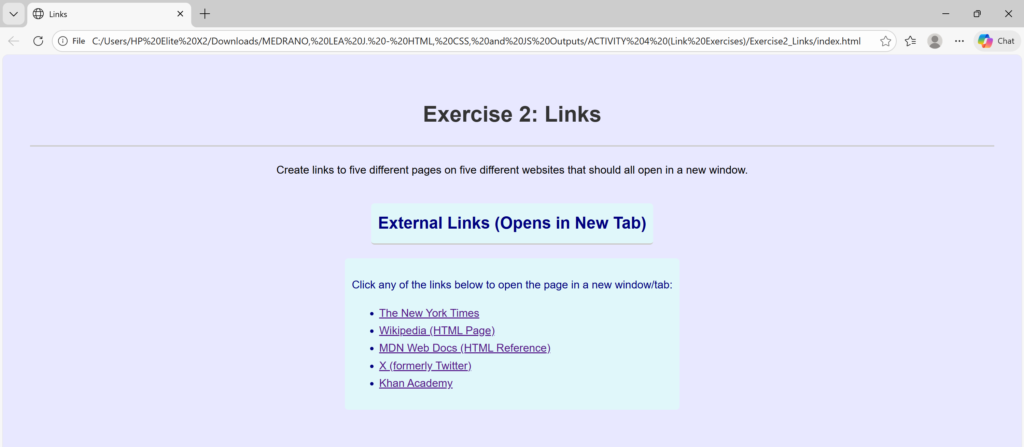
    <h1>Exercise 2: Links</h1> <!-- defines the most important heading on the page (Heading Level 1)-->
        <p> Create links to five different pages on five different websites that should all open in a new window.</p> <!-- defines a paragraph of text -->

<h2 class="styled-text">External Links (Opens in New Tab)</h2> <br>
<div class="styled-text">

    <p>Click any of the links below to open the page in a new window/tab:</p>

    <ul>
        <li>
            <a href="https://www.nytimes.com/" target="_blank">The New York Times</a>
        </li>

        <li>
            <a href="https://en.wikipedia.org/wiki/HTML" target="_blank">Wikipedia (HTML Page)</a>
        </li>

        <li>
            <a href="https://developer.mozilla.org/en-US/docs/Web/HTML" target="_blank">MDN Web Docs (HTML Reference)</a>
        </li>

        <li>
            <a href="https://x.com/home" target="_blank">X (formerly Twitter)</a>
        </li>

        <li>
            <a href="https://www.khanacademy.org/" target="_blank">Khan Academy</a>
        </li>
    </ul></div>

    <script src="script.js"></script>
    </div>
</body>
</html>
/*
 * style.css
 * Styles for the basic HTML exercises.
 */

body {
    font-family: Arial, sans-serif;
    line-height: 1.6;
    margin: 20px;
    padding: 20px;
    background-color: #e8e8ff;
}

h1, h2 {
    color: #333;
    border-bottom: 2px solid #ccc;
    padding-bottom: 20px;
    text-align: center;
}

/* Specific styling show the stylesheet is working */
.styled-text {
    color: navy;
    text-align: justify;
    background-color: #e0f7fa; /* Light cyan background */
    padding: 10px;
    border-radius: 5px;
    display: inline-block;
}
/**
 * script.js
 * Adds event listeners to the search engine links to demonstrate basic JavaScript functionality.
 */

// Function that runs once the entire HTML document is fully loaded
document.addEventListener('DOMContentLoaded', function() {
    // 1. Get all the anchor (<a>) elements within the unordered list (<ul>)
    const searchLinks = document.querySelectorAll('ul li a');

    // 2. Loop through each link found
    searchLinks.forEach(link => {
        // 3. Attach a 'click' event listener to each link
        link.addEventListener('click', function(event) {

            // Log a message to the browser's console to confirm the click was registered
            console.log(`Navigating to: ${this.textContent} at ${this.href}`);

            // Optional: Visually indicate the link has been clicked
            // Use a slight delay to allow the color change to be seen before navigation
            // Note: Browsers will still navigate away quickly unless event.preventDefault() is used.
            this.style.backgroundColor = '#ffffaa'; // Light yellow background
            this.style.color = '#000000'; // Black text color

            // To prevent the default navigation and *only* run the JavaScript:
            // event.preventDefault();

            // Since the user usually *does* want to navigate, we won't prevent the default action.
        });
    });
});

// A message to confirm the script loaded successfully
console.log("Script.js loaded successfully. Event listeners attached to search engine links.");
<!DOCTYPE html> <!-- declaration that defines this document to be an HTML5 document -->
<html> <!-- root element of an HTML page, all other elements live inside it -->
<head> <!-- contains metadata about the HTML document, such as its title, character set, and links to stylesheets/scripts -->
    <meta charset="UTF-8"> <!-- empty element that provides machine-readable information (metadata) about the document, like the character set (`charset="UTF-8"`)-->
    <title>Top to Bottom Link</title> <!-- sets the title that appears in the browser's title bar or tab-->
    <link rel="stylesheet" href="style.css"> <!-- this attribute specifies the location (URL or path) of the external stylesheet file. In this case, the file named style.css is expected to be in the same folder as the HTML file. -->
</head>
<body> <!-- contains all the visible content of the page, such as text, images, links, and headings-->
    <div style="text-align: center;"> <!-- to horizontally center content, such as text, images, or other block elements, within its parent container -->
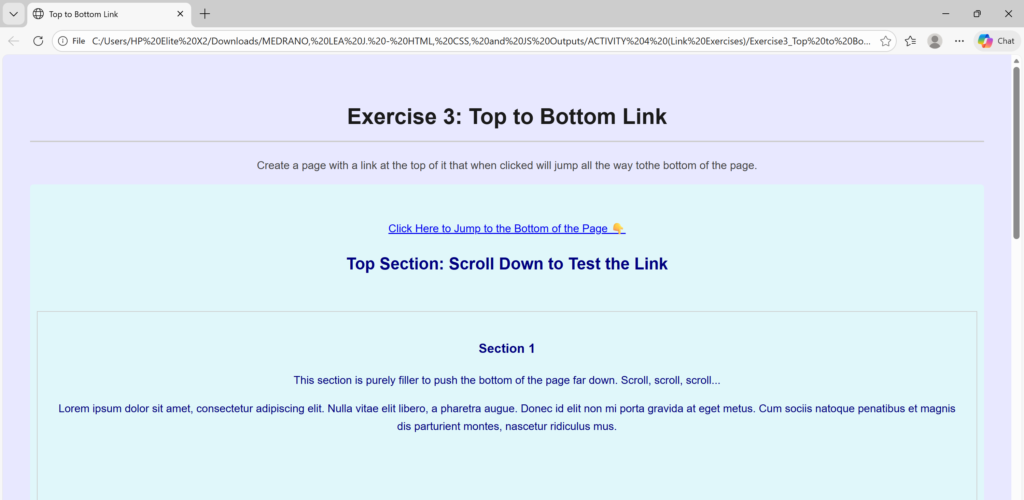
    <h1>Exercise 3: Top to Bottom Link</h1> <!-- defines the most important heading on the page (Heading Level 1)-->
        <p> Create a page with a link at the top of it that when clicked will jump all the way tothe bottom of the page. </p> <!-- defines a paragraph of text -->

<div class="styled-text">    <br>
    <p>
        <a href="#page-bottom">Click Here to Jump to the Bottom of the Page 👇</a>
    </p>
    <h2>Top Section: Scroll Down to Test the Link</h2>


    <div class="content-block">
        <h3>Section 1</h3>
        <p>This section is purely filler to push the bottom of the page far down. Scroll, scroll, scroll...</p>
        <p>Lorem ipsum dolor sit amet, consectetur adipiscing elit. Nulla vitae elit libero, a pharetra augue. Donec id elit non mi porta gravida at eget metus. Cum sociis natoque penatibus et magnis dis parturient montes, nascetur ridiculus mus.</p>
    </div>
    <div class="content-block">
        <h3>Section 2</h3>
        <p>We need more height! This large block ensures that the anchor link at the top is completely off-screen when you jump to the bottom.</p>
        <p>Curabitur blandit tempus porttitor. Nullam id dolor id nibh ultricies vehicula ut id elit. Etiam porta sem malesuada magna mollis euismod. Duis mollis, est non commodo luctus, nisi erat porttitor ligula, eget lacinia odio sem nec elit.</p>
    </div>
    <div class="content-block">
        <h3>Section 3</h3>
        <p>Almost there! The page is getting longer with every content box we add. Keep scrolling!</p>
        <p>Vivamus sagittis lacus vel augue laoreet rutrum faucibus dolor auctor. Praesent commodo cursus magna, vel scelerisque nisl consectetur et. Fusce dapibus, tellus ac cursus commodo, tortor mauris condimentum nibh.</p>
    </div>

    <div class="bottom-marker">
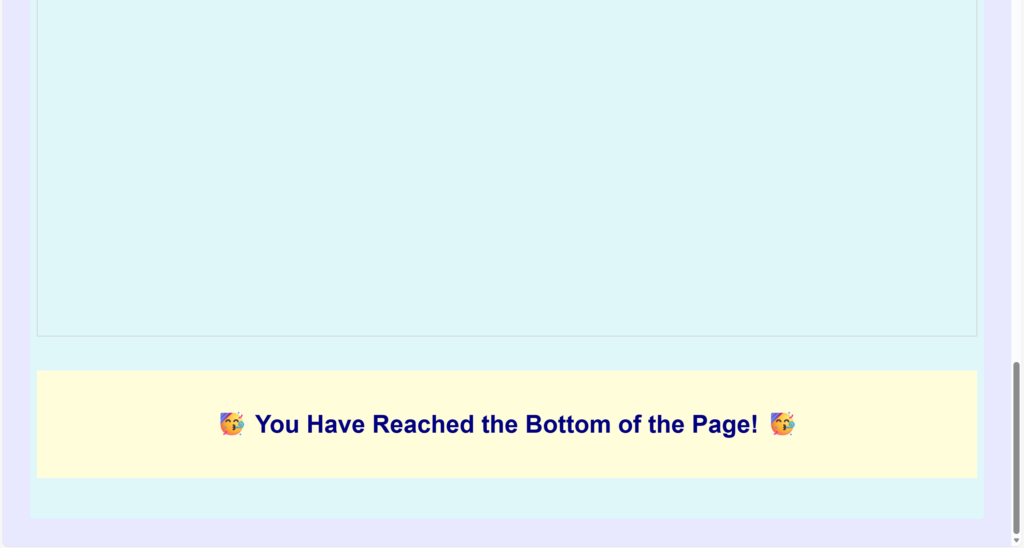
        <h2 id="page-bottom">🥳 You Have Reached the Bottom of the Page! 🥳</h2>
    </div></div>

    <script src="script.js"></script>
    </div>
</body>
</html>
/*
 * style.css
 * Styles for the basic HTML exercises.
 */

/* Global Reset/Box-sizing for consistency */
*, *::before, *::after {
    box-sizing: border-box;
}

body {
    font-family: Arial, sans-serif;
    line-height: 1.6;
    margin: 20px;
    padding: 20px;
    background-color: #e8e8ff; /* Light lavender background */
    color: #444;
}

/* Headings Styling */
h1 {
    color: #1a1a1a;
    border-bottom: 2px solid #ccc;
    padding-bottom: 10px;
    margin-top: 25px;
    /* Centering used for the Search Engine and Address exercises */
    text-align: center;
}

/* Paragraph Styling */
p {
    margin-bottom: 15px;
}

/* Specific styling for .styled-text */
.styled-text {
    color: navy;
    background-color: #e0f7fa; /* Light cyan background */
    padding: 10px;
    border-radius: 5px;
    display: inline-block;
}

/* --- STYLES FOR JUMP LINK EXERCISE --- */

/* Ensures the content blocks are large enough to require scrolling */
.content-block {
    margin-top: 50px;
    padding: 20px;
    border: 1px solid #ccc;
    height: 80vh; /* Set height to 80% of viewport height */
}

/* Styles the target area at the bottom of the page */
.bottom-marker {
    padding: 20px;
    font-size: 1.5em;
    text-align: center;
    background-color: #fffdda;
    margin-top: 50px;
    margin-bottom: 50px;
}


html {
    /* Applies a smooth animation when scrolling to anchor links */
    scroll-behavior: smooth;
}
/**
 * script.js
 * Adds event listeners to the search engine links to demonstrate basic JavaScript functionality.
 */

// Function that runs once the entire HTML document is fully loaded
document.addEventListener('DOMContentLoaded', function() {
    // 1. Get all the anchor (<a>) elements within the unordered list (<ul>)
    const searchLinks = document.querySelectorAll('ul li a');

    // 2. Loop through each link found
    searchLinks.forEach(link => {
        // 3. Attach a 'click' event listener to each link
        link.addEventListener('click', function(event) {

            // Log a message to the browser's console to confirm the click was registered
            console.log(`Navigating to: ${this.textContent} at ${this.href}`);

            // Optional: Visually indicate the link has been clicked
            this.style.backgroundColor = '#ffffaa'; // Light yellow background
            this.style.color = '#000000'; // Black text color
        });
    });
});

// A message to confirm the script loaded successfully
console.log("Script.js loaded successfully. Event listeners attached to search engine links.");
<!DOCTYPE html> <!-- declaration that defines this document to be an HTML5 document -->
<html> <!-- root element of an HTML page, all other elements live inside it -->
<head> <!-- contains metadata about the HTML document, such as its title, character set, and links to stylesheets/scripts -->
    <meta charset="UTF-8"> <!-- empty element that provides machine-readable information (metadata) about the document, like the character set (`charset="UTF-8"`)-->
    <title>Bottom to Top Link</title> <!-- sets the title that appears in the browser's title bar or tab-->
    <link rel="stylesheet" href="style.css"> <!-- this attribute specifies the location (URL or path) of the external stylesheet file. In this case, the file named style.css is expected to be in the same folder as the HTML file. -->
</head>
<body> <!-- contains all the visible content of the page, such as text, images, links, and headings-->
    <div style="text-align: center;"> <!-- to horizontally center content, such as text, images, or other block elements, within its parent container -->
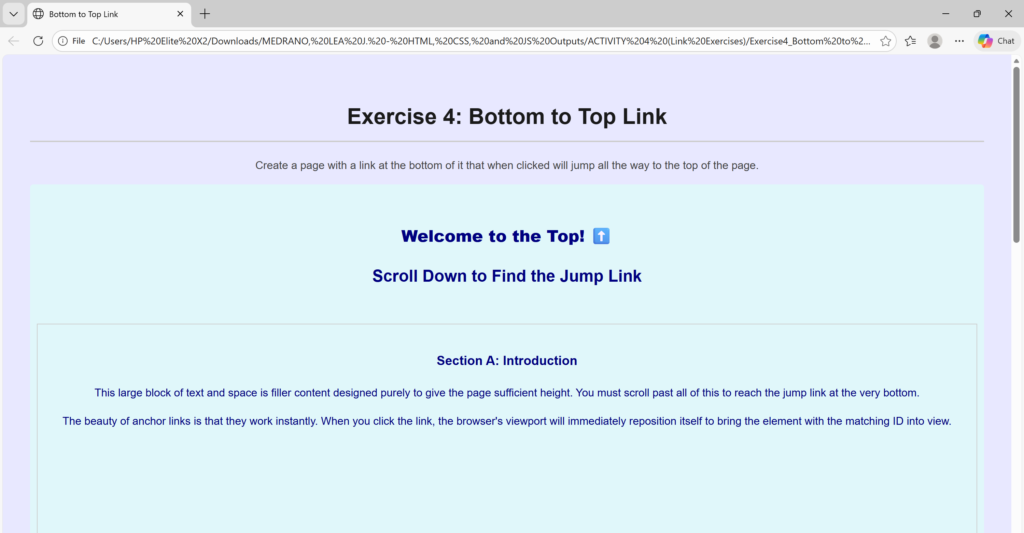
    <h1>Exercise 4: Bottom to Top Link</h1> <!-- defines the most important heading on the page (Heading Level 1)-->
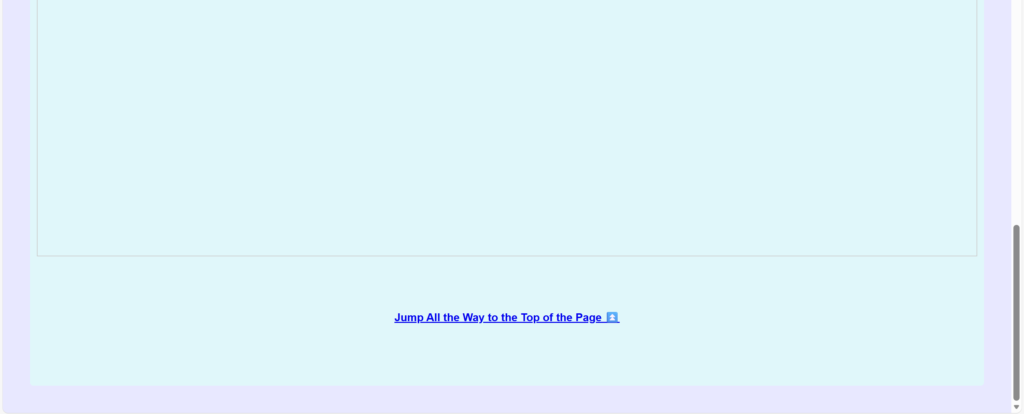
        <p> Create a page with a link at the bottom of it that when clicked will jump all the way to the top of the page. </p> <!-- defines a paragraph of text -->

<div class="styled-text">
    <div class="top-target" id="page-top">
        <br>
        <h2><strong>Welcome to the Top! ⬆️</strong></h2>
    </div>
    <h2>Scroll Down to Find the Jump Link</h2>

    <div class="content-block">
        <h3>Section A: Introduction</h3>
        <p>This large block of text and space is filler content designed purely to give the page sufficient height. You must scroll past all of this to reach the jump link at the very bottom.</p>
        <p>The beauty of anchor links is that they work instantly. When you click the link, the browser's viewport will immediately reposition itself to bring the element with the matching ID into view.</p>
    </div>
    <div class="content-block">
        <h3>Section B: Details</h3>
        <p>We need even more content to make sure the top is well out of sight. Keep scrolling!</p>
        <p>Cum sociis natoque penatibus et magnis dis parturient montes, nascetur ridiculus mus. Fusce dapibus, tellus ac cursus commodo, tortor mauris condimentum nibh, ut fermentum massa justo sit amet risus. Aenean eu leo quam. Pellentesque ornare sem lacinia quam venenatis vestibulum.</p>
    </div>
    <div class="content-block">
        <h3>Section C: Conclusion</h3>
        <p>Final section of filler before the bottom link appears. This method is common for creating "Back to Top" functionality on long articles or documentation pages.</p>
        <p>Nullam quis risus eget urna mollis ornare vel eu leo. Maecenas sed diam eget risus varius blandit sit amet non magna. Integer posuere erat a ante venenatis dapibus posuere velit aliquet.</p>
    </div>

<br><br><br>
    <div class="bottom-link">
        <a href="#page-top"><strong>Jump All the Way to the Top of the Page ⏫</strong></a>
    </div><br><br><br>
</div>

    <script src="script.js"></script>
    </div>
</body>
</html>
/*
 * style.css
 * Styles for the basic HTML exercises.
 */

/* Global Reset/Box-sizing for consistency */
*, *::before, *::after {
    box-sizing: border-box;
}

body {
    font-family: Arial, sans-serif;
    line-height: 1.6;
    margin: 20px;
    padding: 20px;
    background-color: #e8e8ff; /* Light lavender background */
    color: #444;
}

/* Headings Styling */
h1 {
    color: #1a1a1a;
    border-bottom: 2px solid #ccc;
    padding-bottom: 10px;
    margin-top: 25px;
    /* Centering used for the Search Engine and Address exercises */
    text-align: center;
}

/* Paragraph Styling */
p {
    margin-bottom: 15px;
}

/* Specific styling for .styled-text */
.styled-text {
    color: navy;
    background-color: #e0f7fa; /* Light cyan background */
    padding: 10px;
    border-radius: 5px;
    display: inline-block;
}

/* --- STYLES FOR JUMP LINK EXERCISE --- */

/* Ensures the content blocks are large enough to require scrolling */
.content-block {
    margin-top: 50px;
    padding: 20px;
    border: 1px solid #ccc;
    height: 80vh; /* Set height to 80% of viewport height */
}

/* Styles the target area at the bottom of the page */
.bottom-marker {
    padding: 20px;
    font-size: 1.5em;
    text-align: center;
    background-color: #fffdda;
    margin-top: 50px;
    margin-bottom: 50px;
}


html {
    /* Applies a smooth animation when scrolling to anchor links */
    scroll-behavior: smooth;
}
/**
 * script.js
 * Adds event listeners to the search engine links to demonstrate basic JavaScript functionality.
 */

// Function that runs once the entire HTML document is fully loaded
document.addEventListener('DOMContentLoaded', function() {
    // 1. Get all the anchor (<a>) elements within the unordered list (<ul>)
    const searchLinks = document.querySelectorAll('ul li a');

    // 2. Loop through each link found
    searchLinks.forEach(link => {
        // 3. Attach a 'click' event listener to each link
        link.addEventListener('click', function(event) {

            // Log a message to the browser's console to confirm the click was registered
            console.log(`Navigating to: ${this.textContent} at ${this.href}`);

            // Optional: Visually indicate the link has been clicked
            this.style.backgroundColor = '#ffffaa'; // Light yellow background
            this.style.color = '#000000'; // Black text color
        });
    });
});

// A message to confirm the script loaded successfully
console.log("Script.js loaded successfully. Event listeners attached to search engine links.");
<!DOCTYPE html> <!-- declaration that defines this document to be an HTML5 document -->
<html> <!-- root element of an HTML page, all other elements live inside it -->
<head> <!-- contains metadata about the HTML document, such as its title, character set, and links to stylesheets/scripts -->
    <meta charset="UTF-8"> <!-- empty element that provides machine-readable information (metadata) about the document, like the character set (`charset="UTF-8"`)-->
    <title>Top to Bottom to Top Link</title> <!-- sets the title that appears in the browser's title bar or tab-->
    <link rel="stylesheet" href="style.css"> <!-- this attribute specifies the location (URL or path) of the external stylesheet file. In this case, the file named style.css is expected to be in the same folder as the HTML file. -->
</head>
<body> <!-- contains all the visible content of the page, such as text, images, links, and headings-->
    <div style="text-align: center;"> <!-- to horizontally center content, such as text, images, or other block elements, within its parent container -->
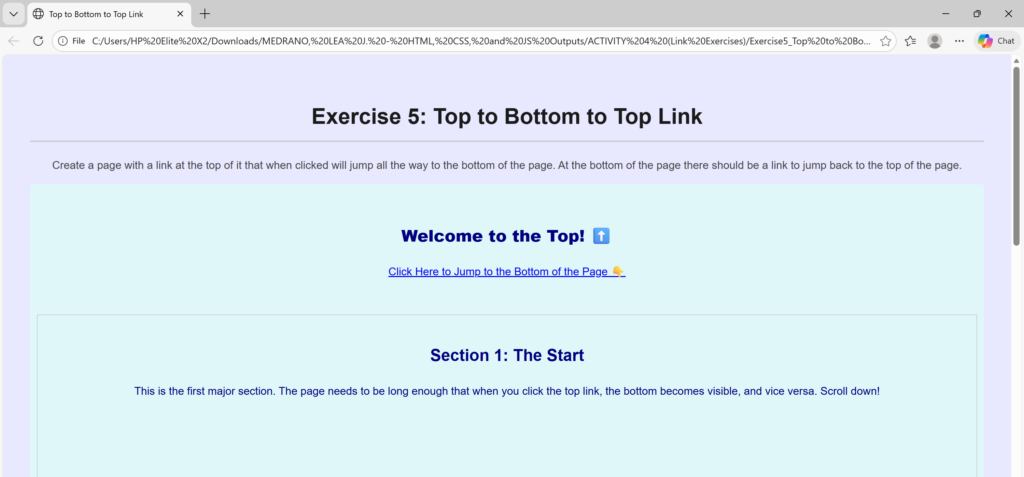
    <h1>Exercise 5: Top to Bottom to Top Link</h1> <!-- defines the most important heading on the page (Heading Level 1)-->
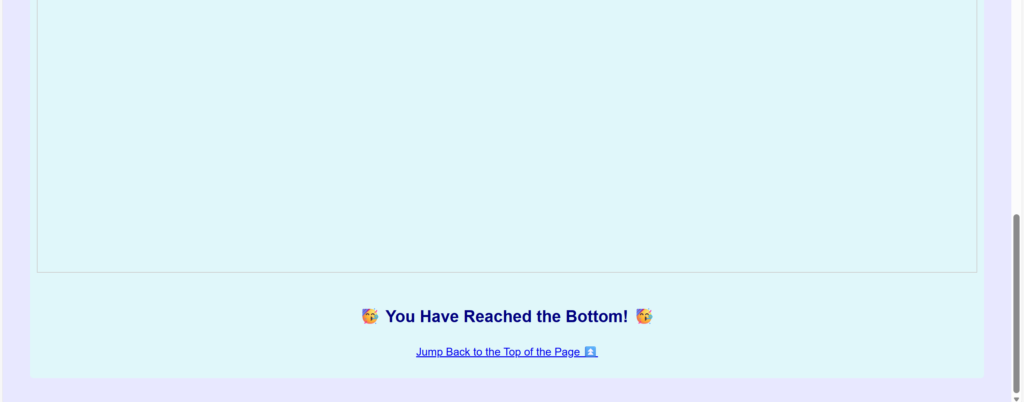
        <p> Create a page with a link at the top of it that when clicked will jump all the way to the bottom of the page. At the bottom of the page there should be a link to jump back to the top of the page. </p> <!-- defines a paragraph of text -->

<div class="styled-text">
    <div class="jump-marker top-link-bar" id="page-top"> <br>
        <h2><strong> Welcome to the Top! ⬆️</strong></h2>
        <p><a href="#page-bottom">Click Here to Jump to the Bottom of the Page 👇</a></p>
    </div>

    <div class="content-block">
        <h2>Section 1: The Start</h2>
        <p>This is the first major section. The page needs to be long enough that when you click the top link, the bottom becomes visible, and vice versa. Scroll down!</p>
    </div>
    <div class="content-block">
        <h2>Section 2: Mid-Page Filler</h2>
        <p>More content is needed here. This block ensures we are far away from both the top and the bottom anchor points. This structure is often used in lengthy articles or terms and conditions pages.</p>
    </div>
    <div class="content-block">
        <h2>Section 3: Approaching the Bottom</h2>
        <p>We are almost to the end of the content. Get ready to test the "Jump to Top" link!</p>
    </div>
<br>

    <div class="jump-marker" id="page-bottom">
        <h2>🥳 You Have Reached the Bottom! 🥳</h2>
        <p><a href="#page-top">Jump Back to the Top of the Page ⏫</a></p>
    </div>
</div>

    <script src="script.js"></script>
    </div>
</body>
</html>
/*
 * style.css
 * Styles for the basic HTML exercises.
 */

/* Global Reset/Box-sizing for consistency */
*, *::before, *::after {
    box-sizing: border-box;
}

body {
    font-family: Arial, sans-serif;
    line-height: 1.6;
    margin: 20px;
    padding: 20px;
    background-color: #e8e8ff; /* Light lavender background */
    color: #444;
}

/* Headings Styling */
h1 {
    color: #1a1a1a;
    border-bottom: 2px solid #ccc;
    padding-bottom: 10px;
    margin-top: 25px;
    /* Centering used for the Search Engine and Address exercises */
    text-align: center;
}

/* Paragraph Styling */
p {
    margin-bottom: 15px;
}

/* Specific styling for .styled-text */
.styled-text {
    color: navy;
    background-color: #e0f7fa; /* Light cyan background */
    padding: 10px;
    border-radius: 5px;
    display: inline-block;
}

/* --- STYLES FOR JUMP LINK EXERCISE --- */

/* Ensures the content blocks are large enough to require scrolling */
.content-block {
    margin-top: 50px;
    padding: 20px;
    border: 1px solid #ccc;
    height: 80vh; /* Set height to 80% of viewport height */
}

/* Styles the target area at the bottom of the page */
.bottom-marker {
    padding: 20px;
    font-size: 1.5em;
    text-align: center;
    background-color: #fffdda;
    margin-top: 50px;
    margin-bottom: 50px;
}


html {
    /* Applies a smooth animation when scrolling to anchor links */
    scroll-behavior: smooth;
}
/**
 * script.js
 * Adds event listeners to the search engine links to demonstrate basic JavaScript functionality.
 */

// Function that runs once the entire HTML document is fully loaded
document.addEventListener('DOMContentLoaded', function() {
    // 1. Get all the anchor (<a>) elements within the unordered list (<ul>)
    const searchLinks = document.querySelectorAll('ul li a');

    // 2. Loop through each link found
    searchLinks.forEach(link => {
        // 3. Attach a 'click' event listener to each link
        link.addEventListener('click', function(event) {

            // Log a message to the browser's console to confirm the click was registered
            console.log(`Navigating to: ${this.textContent} at ${this.href}`);

            // Optional: Visually indicate the link has been clicked
            this.style.backgroundColor = '#ffffaa'; // Light yellow background
            this.style.color = '#000000'; // Black text color
        });
    });
});

// A message to confirm the script loaded successfully
console.log("Script.js loaded successfully. Event listeners attached to search engine links.");