
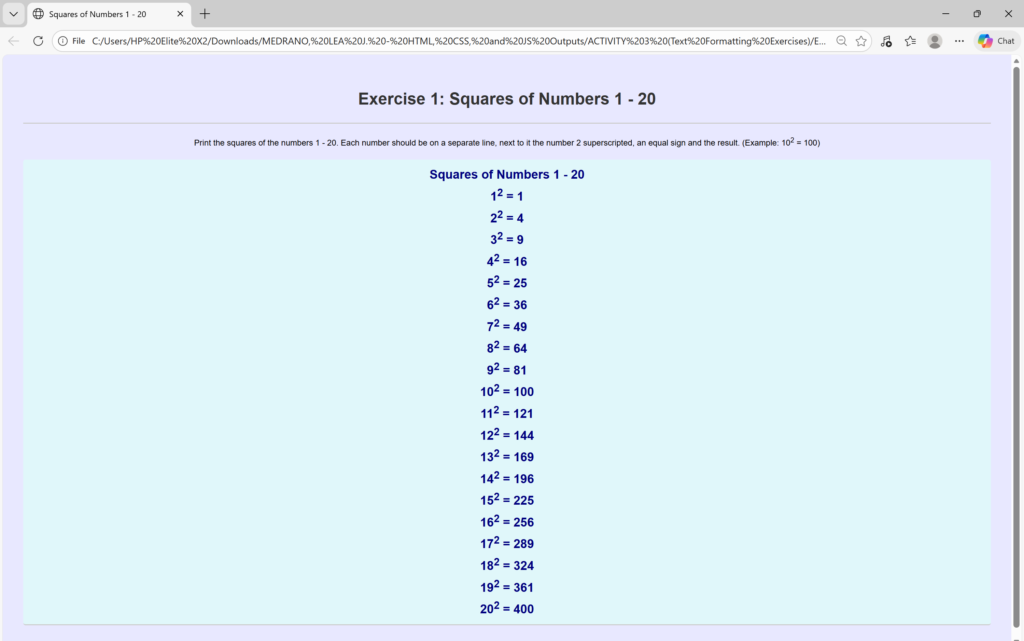
<!DOCTYPE html> <!-- declaration that defines this document to be an HTML5 document -->
<html> <!-- root element of an HTML page, all other elements live inside it -->
<head> <!-- contains metadata about the HTML document, such as its title, character set, and links to stylesheets/scripts -->
    <meta charset="UTF-8"> <!-- empty element that provides machine-readable information (metadata) about the document, like the character set (`charset="UTF-8"`)-->
    <title>Squares of Numbers 1 - 20</title> <!-- sets the title that appears in the browser's title bar or tab-->
    <link rel="stylesheet" href="style.css"> <!-- this attribute specifies the location (URL or path) of the external stylesheet file. In this case, the file named style.css is expected to be in the same folder as the HTML file. -->
</head>
<body> <!-- contains all the visible content of the page, such as text, images, links, and headings-->
    <div style="text-align: center;"> <!-- to horizontally center content, such as text, images, or other block elements, within its parent container -->
    <h1>Exercise 1: Squares of Numbers 1 - 20</h1> <!-- defines the most important heading on the page (Heading Level 1)-->
        <p> Print the squares of the numbers 1 - 20. Each number should be on a separate line, next to it the number 2 superscripted, an equal sign and the result. (Example: 10<sup>2</sup> = 100) </p> <!-- defines a paragraph of text -->
    <h2 class="styled-text">Squares of Numbers 1 - 20 <!-- defines a Level 2 Section Heading -->
        <br>
        1<sup>2</sup> = 1 <br>
        2<sup>2</sup> = 4 <br>
        3<sup>2</sup> = 9 <br>
        4<sup>2</sup> = 16 <br>
        5<sup>2</sup> = 25 <br>
        6<sup>2</sup> = 36 <br>
        7<sup>2</sup> = 49 <br>
        8<sup>2</sup> = 64 <br>
        9<sup>2</sup> = 81 <br>
        10<sup>2</sup> = 100 <br>
        11<sup>2</sup> = 121 <br>
        12<sup>2</sup> = 144 <br>
        13<sup>2</sup> = 169 <br>
        14<sup>2</sup> = 196 <br>
        15<sup>2</sup> = 225 <br>
        16<sup>2</sup> = 256 <br>
        17<sup>2</sup> = 289 <br>
        18<sup>2</sup> = 324 <br>
        19<sup>2</sup> = 361 <br>
        20<sup>2</sup> = 400
    </h2>
    </div>
</body>
</html>
/*
 * style.css
 * Styles for the basic HTML exercises.
 */

body {
    font-family: Arial, sans-serif;
    line-height: 1.6;
    margin: 20px;
    padding: 20px;
    background-color: #e8e8ff;
}

h1, h2 {
    color: #333;
    border-bottom: 2px solid #ccc;
    padding-bottom: 20px;
}

/* Specific styling show the stylesheet is working */
.styled-text {
    color: navy;
    background-color: #e0f7fa; /* Light cyan background */
    padding: 10px;
    border-radius: 5px;
}
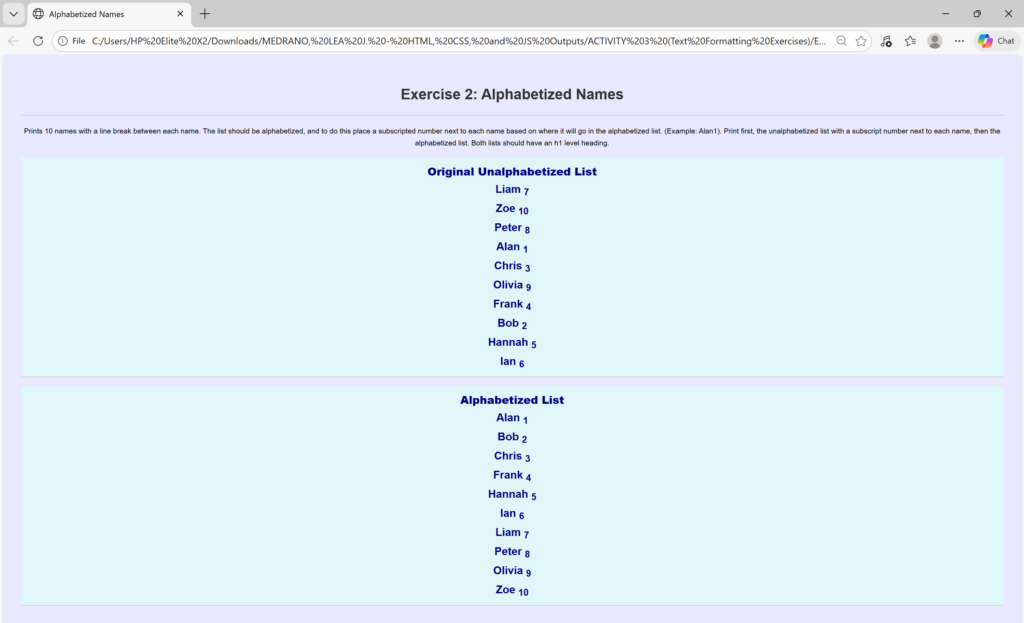
<!DOCTYPE html> <!-- declaration that defines this document to be an HTML5 document -->
<html> <!-- root element of an HTML page, all other elements live inside it -->
<head> <!-- contains metadata about the HTML document, such as its title, character set, and links to stylesheets/scripts -->
    <meta charset="UTF-8"> <!-- empty element that provides machine-readable information (metadata) about the document, like the character set (`charset="UTF-8"`)-->
    <title>Alphabetized Names</title> <!-- sets the title that appears in the browser's title bar or tab-->
    <link rel="stylesheet" href="style.css"> <!-- this attribute specifies the location (URL or path) of the external stylesheet file. In this case, the file named style.css is expected to be in the same folder as the HTML file. -->
</head>
<body> <!-- contains all the visible content of the page, such as text, images, links, and headings-->
    <div style="text-align: center;"> <!-- to horizontally center content, such as text, images, or other block elements, within its parent container -->
    <h1>Exercise 2: Alphabetized Names</h1> <!-- defines the most important heading on the page (Heading Level 1)-->
        <p>Prints 10 names with a line break between each name. The list should be alphabetized, and to do this place a subscripted number next to each name based on where it will go in the alphabetized list. (Example: Alan1). Print first, the unalphabetized list with a subscript number next to each name, then the alphabetized list. Both lists should have an h1 level heading. </p> <!-- defines a paragraph of text -->
    <h2 class="styled-text"><strong>Original Unalphabetized List</strong> <!-- defines a Level 2 Section Heading --> <br>
        Liam <sub>7</sub><br>
        Zoe <sub>10</sub><br>
        Peter <sub>8</sub><br>
        Alan <sub>1</sub><br>
        Chris <sub>3</sub><br>
        Olivia <sub>9</sub><br>
        Frank <sub>4</sub><br>
        Bob <sub>2</sub><br>
        Hannah <sub>5</sub><br>
        Ian <sub>6</sub>
    </h2>

    <h2 class="styled-text"><strong> Alphabetized List </strong><br>
        Alan <sub>1</sub><br>
        Bob <sub>2</sub><br>
        Chris <sub>3</sub><br>
        Frank <sub>4</sub><br>
        Hannah <sub>5</sub><br>
        Ian <sub>6</sub><br>
        Liam <sub>7</sub><br>
        Peter <sub>8</sub><br>
        Olivia <sub>9</sub><br>
        Zoe <sub>10</sub>
    </h2>
    </div>
</body>
</html>
/*
 * style.css
 * Styles for the basic HTML exercises.
 */

body {
    font-family: Arial, sans-serif;
    line-height: 1.6;
    margin: 20px;
    padding: 20px;
    background-color: #e8e8ff;
}

h1, h2 {
    color: #333;
    border-bottom: 2px solid #ccc;
    padding-bottom: 20px;
}

/* Specific styling show the stylesheet is working */
.styled-text {
    color: navy;
    background-color: #e0f7fa; /* Light cyan background */
    padding: 10px;
    border-radius: 5px;
}
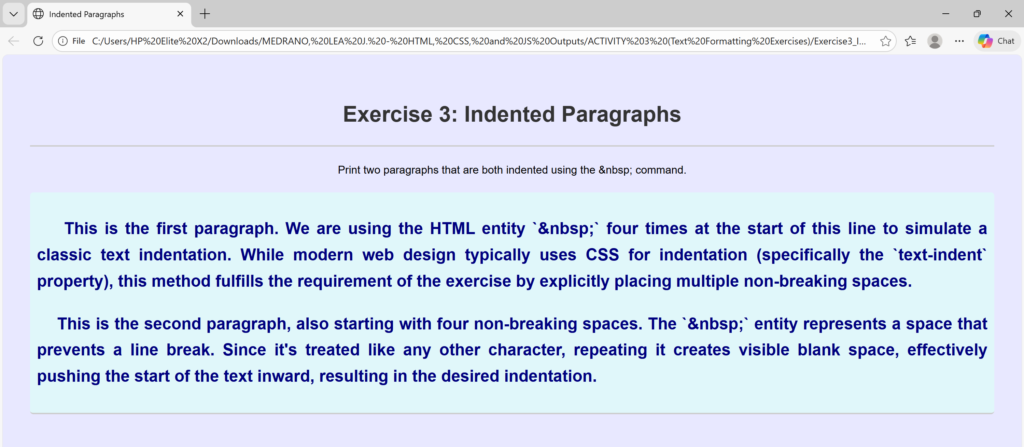
<!DOCTYPE html> <!-- declaration that defines this document to be an HTML5 document -->
<html> <!-- root element of an HTML page, all other elements live inside it -->
<head> <!-- contains metadata about the HTML document, such as its title, character set, and links to stylesheets/scripts -->
<meta charset="UTF-8"> <!-- empty element that provides machine-readable information (metadata) about the document, like the character set (`charset="UTF-8"`)-->
<title>Indented Paragraphs</title> <!-- sets the title that appears in the browser's title bar or tab-->
<link rel="stylesheet" href="style.css"> <!-- this attribute specifies the location (URL or path) of the external stylesheet file. In this case, the file named style.css is expected to be in the same folder as the HTML file. -->
</head>
<body> <!-- contains all the visible content of the page, such as text, images, links, and headings-->
<div style="text-align: center;"> <!-- to horizontally center content, such as text, images, or other block elements, within its parent container -->
<h1>Exercise 3: Indented Paragraphs</h1> <!-- defines the most important heading on the page (Heading Level 1)-->
<p> Print two paragraphs that are both indented using the &nbsp; command. </p> <!-- defines a paragraph of text -->
<h2 class="styled-text"> <!-- defines a Level 2 Section Heading -->
<p>
This is the first paragraph. We are using the HTML entity `&nbsp;` four times at the start of this line to simulate a classic text indentation. While modern web design typically uses CSS for indentation (specifically the `text-indent` property), this method fulfills the requirement of the exercise by explicitly placing multiple non-breaking spaces.
</p>
<p>
This is the second paragraph, also starting with four non-breaking spaces. The `&nbsp;` entity represents a space that prevents a line break. Since it's treated like any other character, repeating it creates visible blank space, effectively pushing the start of the text inward, resulting in the desired indentation.
</p>
</div>
</body>
</html>
/*
 * style.css
 * Styles for the basic HTML exercises.
 */

body {
    font-family: Arial, sans-serif;
    line-height: 1.6;
    margin: 20px;
    padding: 20px;
    background-color: #e8e8ff;
}

h1, h2 {
    color: #333;
    border-bottom: 2px solid #ccc;
    padding-bottom: 20px;
}

/* Specific styling show the stylesheet is working */
.styled-text {
    text-align: justify;
    color: navy;
    background-color: #e0f7fa; /* Light cyan background */
    padding: 10px;
    border-radius: 5px;
}
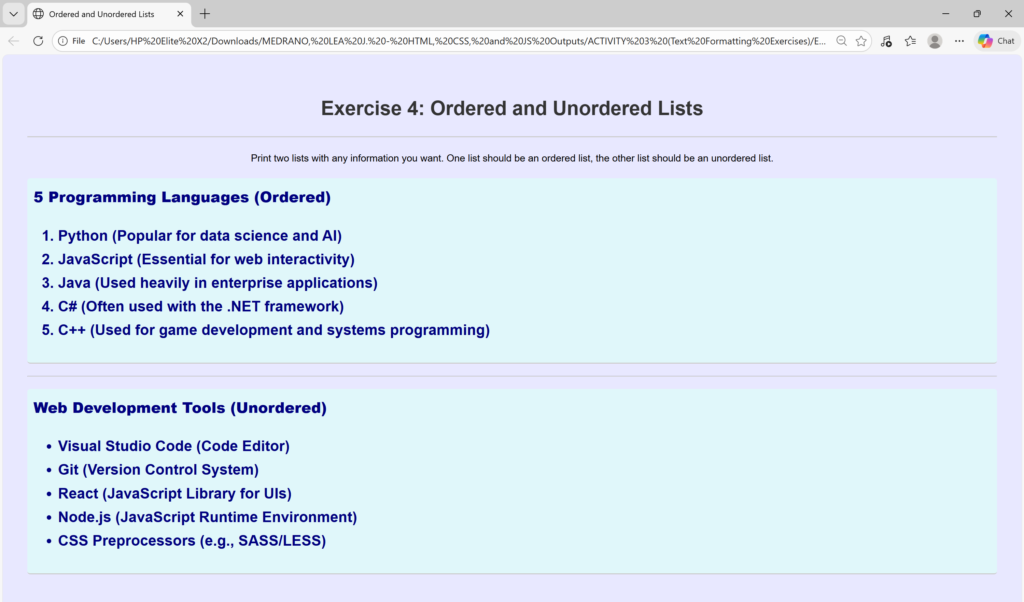
<!DOCTYPE html> <!-- declaration that defines this document to be an HTML5 document -->
<html> <!-- root element of an HTML page, all other elements live inside it -->
<head> <!-- contains metadata about the HTML document, such as its title, character set, and links to stylesheets/scripts -->
    <meta charset="UTF-8"> <!-- empty element that provides machine-readable information (metadata) about the document, like the character set (`charset="UTF-8"`)-->
    <title>Ordered and Unordered Lists</title> <!-- sets the title that appears in the browser's title bar or tab-->
    <link rel="stylesheet" href="style.css"> <!-- this attribute specifies the location (URL or path) of the external stylesheet file. In this case, the file named style.css is expected to be in the same folder as the HTML file. -->
</head>
<body> <!-- contains all the visible content of the page, such as text, images, links, and headings-->
    <div style="text-align: center;"> <!-- to horizontally center content, such as text, images, or other block elements, within its parent container -->
    <h1>Exercise 4: Ordered and Unordered Lists</h1> <!-- defines the most important heading on the page (Heading Level 1)-->
        <p> Print two lists with any information you want. One list should be an ordered list, the other list should be an unordered list. </p> <!-- defines a paragraph of text -->
    <h2 class="styled-text"> <strong> 5 Programming Languages (Ordered)</strong> <!-- defines a Level 2 Section Heading -->

    <ol>
        <li>Python (Popular for data science and AI)</li>
        <li>JavaScript (Essential for web interactivity)</li>
        <li>Java (Used heavily in enterprise applications)</li>
        <li>C# (Often used with the .NET framework)</li>
        <li>C++ (Used for game development and systems programming)</li>
    </ol> </h2>

    <hr>

   <h2 class="styled-text"> <strong>Web Development Tools (Unordered)</strong>

    <ul>
        <li>Visual Studio Code (Code Editor)</li>
        <li>Git (Version Control System)</li>
        <li>React (JavaScript Library for UIs)</li>
        <li>Node.js (JavaScript Runtime Environment)</li>
        <li>CSS Preprocessors (e.g., SASS/LESS)</li>
    </ul></h2>
    </div>
</body>
</html>
/*
 * style.css
 * Styles for the basic HTML exercises.
 */

body {
    font-family: Arial, sans-serif;
    line-height: 1.6;
    margin: 20px;
    padding: 20px;
    background-color: #e8e8ff;
}

h1, h2 {
    color: #333;
    border-bottom: 2px solid #ccc;
    padding-bottom: 20px;
}

/* Specific styling show the stylesheet is working */
.styled-text {
    text-align: justify;
    color: navy;
    background-color: #e0f7fa; /* Light cyan background */
    padding: 10px;
    border-radius: 5px;
}
<!DOCTYPE html> <!-- declaration that defines this document to be an HTML5 document -->
<html> <!-- root element of an HTML page, all other elements live inside it -->
<head> <!-- contains metadata about the HTML document, such as its title, character set, and links to stylesheets/scripts -->
    <meta charset="UTF-8"> <!-- empty element that provides machine-readable information (metadata) about the document, like the character set (`charset="UTF-8"`)-->
    <title>H1 Level Heading</title> <!-- sets the title that appears in the browser's title bar or tab-->
    <link rel="stylesheet" href="style.css"> <!-- this attribute specifies the location (URL or path) of the external stylesheet file. In this case, the file named style.css is expected to be in the same folder as the HTML file. -->
</head>
<body> <!-- contains all the visible content of the page, such as text, images, links, and headings-->
    <div style="text-align: center;"> <!-- to horizontally center content, such as text, images, or other block elements, within its parent container -->
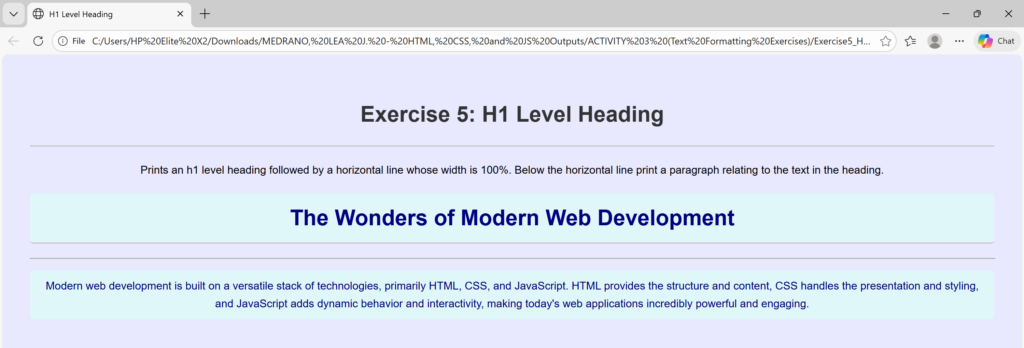
    <h1>Exercise 5: H1 Level Heading</h1> <!-- defines the most important heading on the page (Heading Level 1)-->
        <p> Prints an h1 level heading followed by a horizontal line whose width is 100%.
            Below the horizontal line print a paragraph relating to the text in the heading. </p> <!-- defines a paragraph of text -->

    <h1 class="styled-text">The Wonders of Modern Web Development</h1>

    <hr width="100%">

    <p class="styled-text">
    Modern web development is built on a versatile stack of technologies, primarily HTML, CSS, and JavaScript. HTML provides the structure and content, CSS handles the presentation and styling, and JavaScript adds dynamic behavior and interactivity, making today's web applications incredibly powerful and engaging.
    </p>

    </div>
</body>
</html>
/*
 * style.css
 * Styles for the basic HTML exercises.
 */

body {
    font-family: Arial, sans-serif;
    line-height: 1.6;
    margin: 20px;
    padding: 20px;
    background-color: #e8e8ff;
}

h1, h2 {
    color: #333;
    border-bottom: 2px solid #ccc;
    padding-bottom: 20px;
}

/* Specific styling show the stylesheet is working */
.styled-text {
    color: navy;
    background-color: #e0f7fa; /* Light cyan background */
    padding: 10px;
    border-radius: 5px;
}
<!DOCTYPE html> <!-- declaration that defines this document to be an HTML5 document -->
<html> <!-- root element of an HTML page, all other elements live inside it -->
<head> <!-- contains metadata about the HTML document, such as its title, character set, and links to stylesheets/scripts -->
    <meta charset="UTF-8"> <!-- empty element that provides machine-readable information (metadata) about the document, like the character set (`charset="UTF-8"`)-->
    <title>Preformatted Text</title> <!-- sets the title that appears in the browser's title bar or tab-->
    <link rel="stylesheet" href="style.css"> <!-- this attribute specifies the location (URL or path) of the external stylesheet file. In this case, the file named style.css is expected to be in the same folder as the HTML file. -->
</head>
<body> <!-- contains all the visible content of the page, such as text, images, links, and headings-->
    <div style="text-align: center;"> <!-- to horizontally center content, such as text, images, or other block elements, within its parent container -->
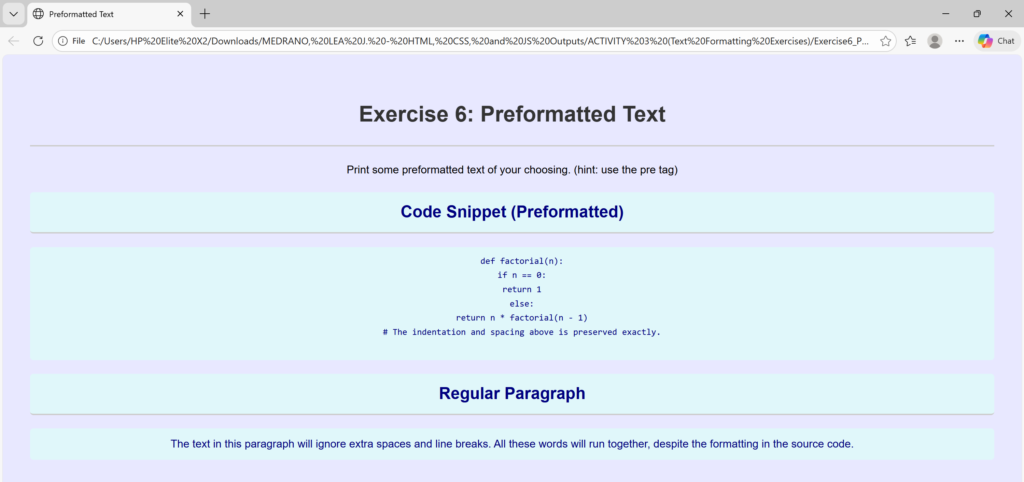
    <h1>Exercise 6: Preformatted Text</h1> <!-- defines the most important heading on the page (Heading Level 1)-->
        <p> Print some preformatted text of your choosing. (hint: use the pre tag) </p> <!-- defines a paragraph of text -->
    <h2 class="styled-text">Code Snippet (Preformatted)</h2>

    <pre class="styled-text">
    def factorial(n):
    if n == 0:
    return 1
    else:
    return n * factorial(n - 1)
    # The indentation and spacing above is preserved exactly.
    </pre>

    <h2 class="styled-text">Regular Paragraph</h2>
    <p class="styled-text">
    The text in this paragraph will ignore extra spaces and line breaks.
    All these words will run together, despite the
    formatting in the source code.
    </p>

    </div>
</body>
</html>
/*
 * style.css
 * Styles for the basic HTML exercises.
 */

body {
    font-family: Arial, sans-serif;
    line-height: 1.6;
    margin: 20px;
    padding: 20px;
    background-color: #e8e8ff;
}

h1, h2 {
    color: #333;
    border-bottom: 2px solid #ccc;
    padding-bottom: 20px;
}

/* Specific styling show the stylesheet is working */
.styled-text {
    color: navy;
    background-color: #e0f7fa; /* Light cyan background */
    padding: 10px;
    border-radius: 5px;
}
<!DOCTYPE html> <!-- declaration that defines this document to be an HTML5 document -->
<html> <!-- root element of an HTML page, all other elements live inside it -->
<head> <!-- contains metadata about the HTML document, such as its title, character set, and links to stylesheets/scripts -->
    <meta charset="UTF-8"> <!-- empty element that provides machine-readable information (metadata) about the document, like the character set (`charset="UTF-8"`)-->
    <title>Quotes</title> <!-- sets the title that appears in the browser's title bar or tab-->
    <link rel="stylesheet" href="style.css"> <!-- this attribute specifies the location (URL or path) of the external stylesheet file. In this case, the file named style.css is expected to be in the same folder as the HTML file. -->
</head>
<body> <!-- contains all the visible content of the page, such as text, images, links, and headings-->
    <div style="text-align: center;"> <!-- to horizontally center content, such as text, images, or other block elements, within its parent container -->
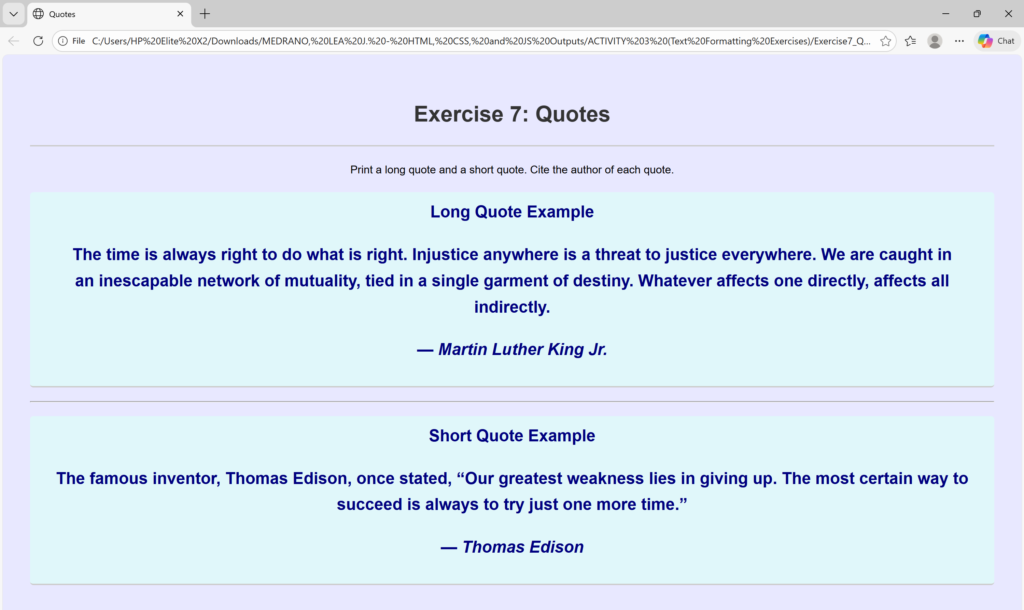
    <h1>Exercise 7: Quotes</h1> <!-- defines the most important heading on the page (Heading Level 1)-->
        <p> Print a long quote and a short quote. Cite the author of each quote. </p> <!-- defines a paragraph of text -->

    <h2 class="styled-text">Long Quote Example
    <blockquote cite="http://www.example.com/mlk-quote">
        The time is always right to do what is right. Injustice anywhere is a threat to justice everywhere. We are caught in an inescapable network of mutuality, tied in a single garment of destiny. Whatever affects one directly, affects all indirectly.
    </blockquote>
    <p>— <cite>Martin Luther King Jr.</cite></p></h2>

    <hr>

    <h2 class="styled-text">Short Quote Example
    <p> The famous inventor, Thomas Edison, once stated,
        <q>Our greatest weakness lies in giving up. The most certain way to succeed is always to try just one more time.</q>
    </p>
    <p>— <cite>Thomas Edison</cite></p></h2>

    </div>
</body>
</html>
/*
 * style.css
 * Styles for the basic HTML exercises.
 */

body {
    font-family: Arial, sans-serif;
    line-height: 1.6;
    margin: 20px;
    padding: 20px;
    background-color: #e8e8ff;
}

h1, h2 {
    color: #333;
    border-bottom: 2px solid #ccc;
    padding-bottom: 20px;
}

/* Specific styling show the stylesheet is working */
.styled-text {
    color: navy;
    background-color: #e0f7fa; /* Light cyan background */
    padding: 10px;
    border-radius: 5px;
}
<!DOCTYPE html> <!-- declaration that defines this document to be an HTML5 document -->
<html> <!-- root element of an HTML page, all other elements live inside it -->
<head> <!-- contains metadata about the HTML document, such as its title, character set, and links to stylesheets/scripts -->
    <meta charset="UTF-8"> <!-- empty element that provides machine-readable information (metadata) about the document, like the character set (`charset="UTF-8"`)-->
    <title>Deleted and Inserted Text</title> <!-- sets the title that appears in the browser's title bar or tab-->
    <link rel="stylesheet" href="style.css"> <!-- this attribute specifies the location (URL or path) of the external stylesheet file. In this case, the file named style.css is expected to be in the same folder as the HTML file. -->
</head>
<body> <!-- contains all the visible content of the page, such as text, images, links, and headings-->
    <div style="text-align: center;"> <!-- to horizontally center content, such as text, images, or other block elements, within its parent container -->
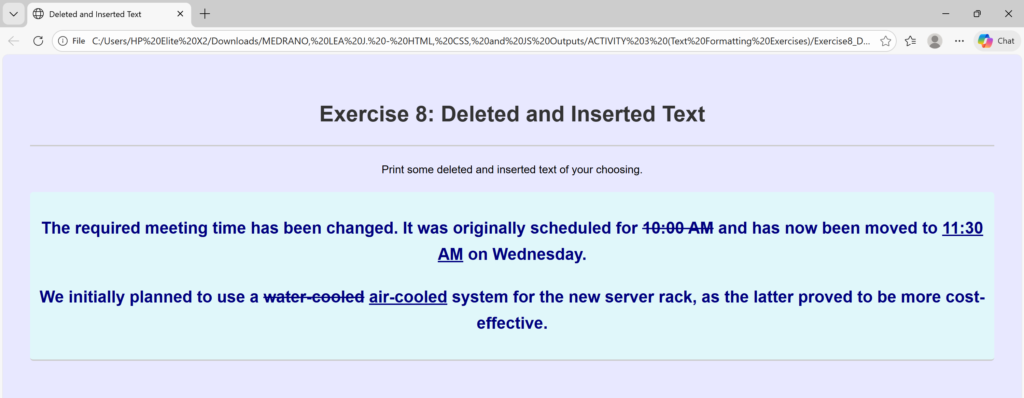
    <h1>Exercise 8: Deleted and Inserted Text</h1> <!-- defines the most important heading on the page (Heading Level 1)-->
        <p> Print some deleted and inserted text of your choosing. </p> <!-- defines a paragraph of text -->

    <h2 class="styled-text">

    <p>
        The required meeting time has been changed. It was originally scheduled for
        <del datetime="2025-10-06T10:00:00Z">10:00 AM</del>
        and has now been moved to
        <ins datetime="2025-10-06T11:30:00Z">11:30 AM</ins>
        on Wednesday.
    </p>

    <p>
        We initially planned to use a <del>water-cooled</del> <ins>air-cooled</ins> system for the new server rack, as the latter proved to be more cost-effective.
    </p> </h2>

    </div>
</body>
</html>
/*
 * style.css
 * Styles for the basic HTML exercises.
 */

body {
    font-family: Arial, sans-serif;
    line-height: 1.6;
    margin: 20px;
    padding: 20px;
    background-color: #e8e8ff;
}

h1, h2 {
    color: #333;
    border-bottom: 2px solid #ccc;
    padding-bottom: 20px;
}

/* Specific styling show the stylesheet is working */
.styled-text {
    color: navy;
    background-color: #e0f7fa; /* Light cyan background */
    padding: 10px;
    border-radius: 5px;
}
<!DOCTYPE html> <!-- declaration that defines this document to be an HTML5 document -->
<html> <!-- root element of an HTML page, all other elements live inside it -->
<head> <!-- contains metadata about the HTML document, such as its title, character set, and links to stylesheets/scripts -->
    <meta charset="UTF-8"> <!-- empty element that provides machine-readable information (metadata) about the document, like the character set (`charset="UTF-8"`)-->
    <title>Definition List</title> <!-- sets the title that appears in the browser's title bar or tab-->
    <link rel="stylesheet" href="style.css"> <!-- this attribute specifies the location (URL or path) of the external stylesheet file. In this case, the file named style.css is expected to be in the same folder as the HTML file. -->
</head>
<body> <!-- contains all the visible content of the page, such as text, images, links, and headings-->
    <div style="text-align: center;"> <!-- to horizontally center content, such as text, images, or other block elements, within its parent container -->
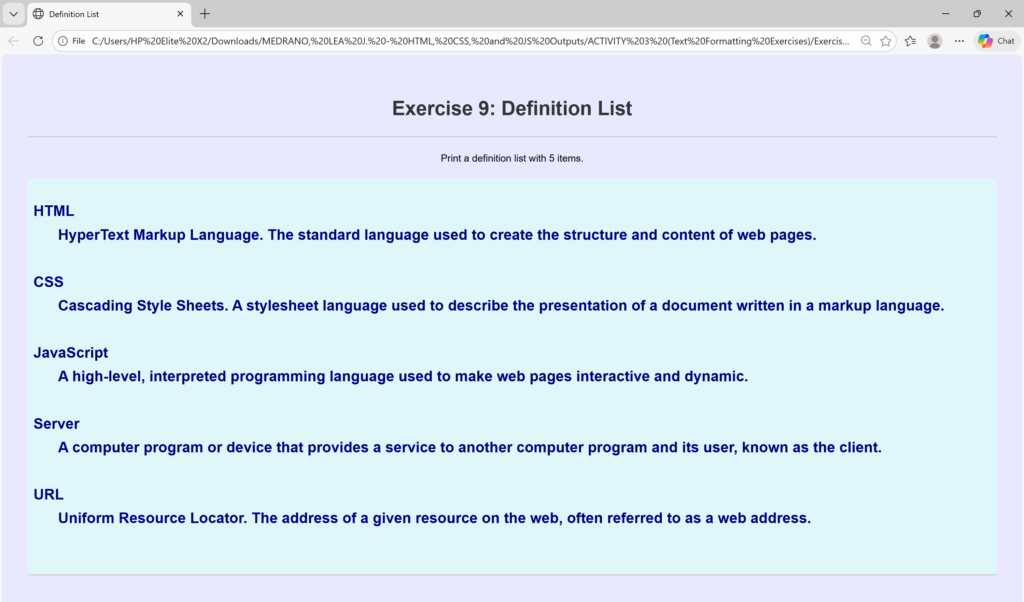
    <h1>Exercise 9: Definition List</h1> <!-- defines the most important heading on the page (Heading Level 1)-->
        <p> Print a definition list with 5 items. </p> <!-- defines a paragraph of text -->

    <h2 class="styled-text">

    <dl> <!-- defines the definition list itself (the container). -->

    <dt> <!-- defines the term (the name being defined). -->
    HTML</dt> <dd>HyperText Markup Language. The standard language used to create the structure and content of web pages.</dd>
    <br>

    <dt>CSS</dt>
    <dd>Cascading Style Sheets. A stylesheet language used to describe the presentation of a document written in a markup language.</dd><!-- Defines the description or definition of the term.-->
    <br>

    <dt>JavaScript</dt>
    <dd>A high-level, interpreted programming language used to make web pages interactive and dynamic.</dd>
    <br>

    <dt>Server</dt>
    <dd>A computer program or device that provides a service to another computer program and its user, known as the client.</dd>
    <br>

    <dt>URL</dt>
    <dd>Uniform Resource Locator. The address of a given resource on the web, often referred to as a web address.</dd>
    <br>
    </dl> </h2>

    </div>
</body>
</html>
/*
 * style.css
 * Styles for the basic HTML exercises.
 */

body {
    font-family: Arial, sans-serif;
    line-height: 1.6;
    margin: 20px;
    padding: 20px;
    background-color: #e8e8ff;
}

h1, h2 {
    color: #333;
    border-bottom: 2px solid #ccc;
    padding-bottom: 20px;
}

/* Specific styling show the stylesheet is working */
.styled-text {
    color: navy;
    background-color: #e0f7fa; /* Light cyan background */
    padding: 10px;
    border-radius: 5px;
}
<!DOCTYPE html> <!-- declaration that defines this document to be an HTML5 document -->
<html> <!-- root element of an HTML page, all other elements live inside it -->
<head> <!-- contains metadata about the HTML document, such as its title, character set, and links to stylesheets/scripts -->
    <meta charset="UTF-8"> <!-- empty element that provides machine-readable information (metadata) about the document, like the character set (`charset="UTF-8"`)-->
    <title>Envelope Address Layouts</title> <!-- sets the title that appears in the browser's title bar or tab-->
    <link rel="stylesheet" href="style.css"> <!-- this attribute specifies the location (URL or path) of the external stylesheet file. In this case, the file named style.css is expected to be in the same folder as the HTML file. -->
</head>
<body> <!-- contains all the visible content of the page, such as text, images, links, and headings-->
    <div style="text-align: center;"> <!-- to horizontally center content, such as text, images, or other block elements, within its parent container -->
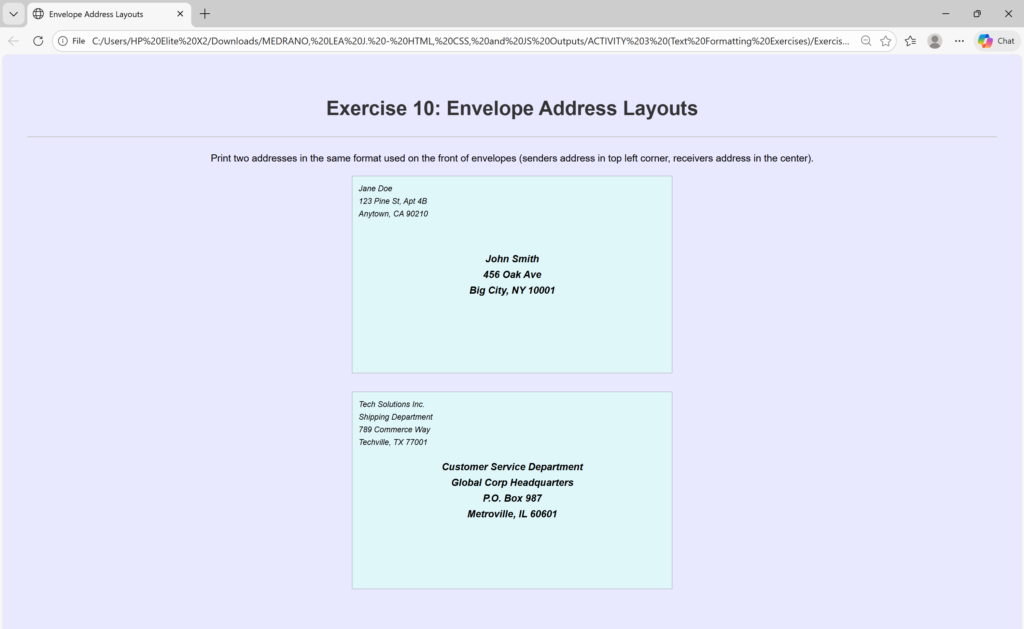
    <h1>Exercise 10: Envelope Address Layouts</h1> <!-- defines the most important heading on the page (Heading Level 1)-->
        <p> Print two addresses in the same format used on the front of envelopes (senders address in top left corner, receivers address in the center). </p> <!-- defines a paragraph of text -->


    <div class="envelope-container">
        <address class="sender-address">
            Jane Doe<br>
            123 Pine St, Apt 4B<br>
            Anytown, CA 90210
        </address>

        <address class="receiver-address">
            John Smith<br>
            456 Oak Ave<br>
            Big City, NY 10001
        </address>
    </div>

    <div class="envelope-container">
        <address class="sender-address">
            Tech Solutions Inc.<br>
            Shipping Department<br>
            789 Commerce Way<br>
            Techville, TX 77001
        </address>

        <address class="receiver-address">
            Customer Service Department<br>
            Global Corp Headquarters<br>
            P.O. Box 987<br>
            Metroville, IL 60601
        </address>
    </div>

    </div>
</body>
</html>
/*
 * style.css
 * Styles for the basic HTML exercises.
 */

body {
    font-family: Arial, sans-serif;
    line-height: 1.6;
    margin: 20px;
    padding: 20px;
    background-color: #e8e8ff;
}

h1, h2 {
    color: #333;
    border-bottom: 2px solid #ccc;
    padding-bottom: 20px;
}

/* Specific styling show the stylesheet is working */
.styled-text {
    color: navy;
    font-style: italic; /* Added italic style back from previous request */
    background-color: #e0f7fa; /* Light cyan background */
    padding: 10px;
    border-radius: 5px;
    display: inline-block;
}

/* --- STYLES FOR ADDRESS/ENVELOPE EXERCISE --- */

.envelope-container {
    /* Simulates a large envelope area */
    width: 500px;
    height: 300px;
    border: 1px solid #999; /* Visual border to show the envelope area */
    background-color: #e0f7fa; /* Light cyan background */
    position: relative; /* Essential for positioning child elements absolutely */
    padding: 10px;
    font-family: Arial, sans-serif;
    text-align: justify;
    margin-left: auto;
    margin-right: auto;
    margin-bottom: 30px;
}

.sender-address {
    /* Top left corner positioning */
    position: absolute;
    top: 10px;
    left: 10px;
    font-size: 0.8em; /* Smaller font for sender address */
}

.receiver-address {
    /* Center positioning using absolute position and translate */
    position: absolute;
    top: 50%; /* Move down 50% from the top */
    left: 50%; /* Move right 50% from the left */
    /* Shifts the element back by half its own width/height to truly center it */
    transform: translate(-50%, -50%);
    font-size: 1em;
    font-weight: bold;
    text-align: center; /* Ensures multiple lines of address are centered */
}
<!DOCTYPE html> <!-- declaration that defines this document to be an HTML5 document -->
<html> <!-- root element of an HTML page, all other elements live inside it -->
<head> <!-- contains metadata about the HTML document, such as its title, character set, and links to stylesheets/scripts -->
    <meta charset="UTF-8"> <!-- empty element that provides machine-readable information (metadata) about the document, like the character set (`charset="UTF-8"`)-->
    <title>Acronyms and Abbreviations</title> <!-- sets the title that appears in the browser's title bar or tab-->
    <link rel="stylesheet" href="style.css"> <!-- this attribute specifies the location (URL or path) of the external stylesheet file. In this case, the file named style.css is expected to be in the same folder as the HTML file. -->
</head>
<body> <!-- contains all the visible content of the page, such as text, images, links, and headings-->
    <div style="text-align: center;"> <!-- to horizontally center content, such as text, images, or other block elements, within its parent container -->
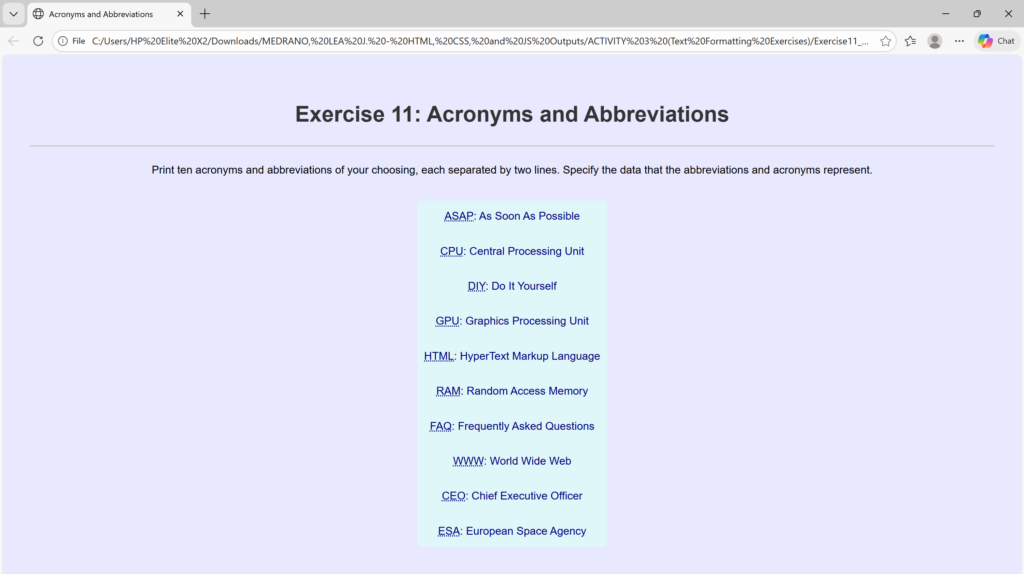
    <h1>Exercise 11: Acronyms and Abbreviations</h1> <!-- defines the most important heading on the page (Heading Level 1)-->
        <p> Print ten acronyms and abbreviations of your choosing, each separated by two lines. Specify the data that the abbreviations and acronyms represent. </p> <!-- defines a paragraph of text -->

    <p class="styled-text">
        <abbr title="As Soon As Possible">ASAP</abbr>: As Soon As Possible
    <br><br>

        <abbr title="Central Processing Unit">CPU</abbr>: Central Processing Unit
    <br><br>

        <abbr title="Do It Yourself">DIY</abbr>: Do It Yourself
    <br><br>

        <abbr title="Graphics Processing Unit">GPU</abbr>: Graphics Processing Unit
    <br><br>

        <abbr title="HyperText Markup Language">HTML</abbr>: HyperText Markup Language
    <br><br>

        <abbr title="Random Access Memory">RAM</abbr>: Random Access Memory
    <br><br>

        <abbr title="Frequently Asked Questions">FAQ</abbr>: Frequently Asked Questions
    <br><br>

        <abbr title="World Wide Web">WWW</abbr>: World Wide Web
    <br><br>

        <abbr title="Chief Executive Officer">CEO</abbr>: Chief Executive Officer
    <br><br>

        <abbr title="European Space Agency">ESA</abbr>: European Space Agency
    </p>

    </div>
</body>
</html>
/*
 * style.css
 * Styles for the basic HTML exercises.
 */

body {
    font-family: Arial, sans-serif;
    line-height: 1.6;
    margin: 20px;
    padding: 20px;
    background-color: #e8e8ff;
}

h1, h2 {
    color: #333;
    border-bottom: 2px solid #ccc;
    padding-bottom: 20px;
}

/* Specific styling show the stylesheet is working */
.styled-text {
    color: navy;
    background-color: #e0f7fa; /* Light cyan background */
    padding: 10px;
    border-radius: 5px;
    display: inline-block;
}